Flickhaven IPTV UK
Best IPTV App UK 2026: Every IPTV Application Compared
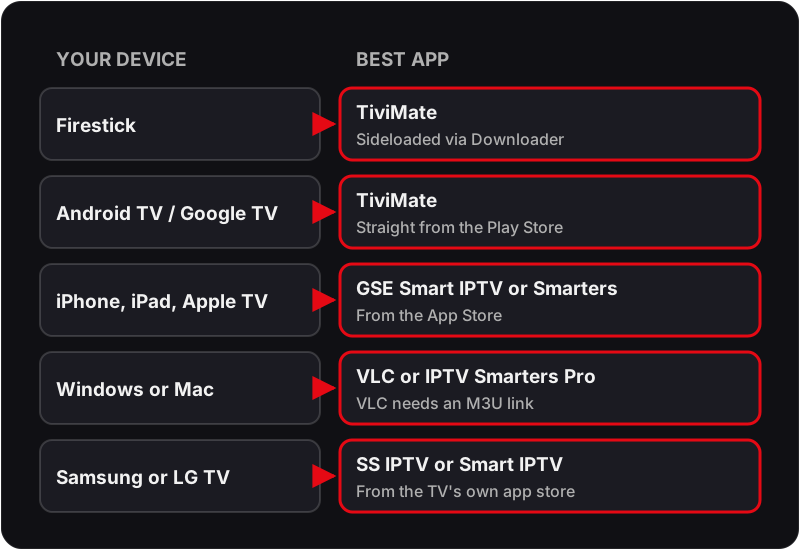
The best IPTV app depends on your device. On a Firestick it is TiviMate, sideloaded with Downloader, with IPTV Smarters Pro as the free alternative. On Android TV and Google TV, TiviMate installs from the Play Store. On iPhone, iPad and Apple TV, use GSE Smart IPTV or IPTV Smarters Pro, and on Windows or Mac, VLC or Smarters. Every IPTV app here takes the same Xtream Codes login or M3U link.
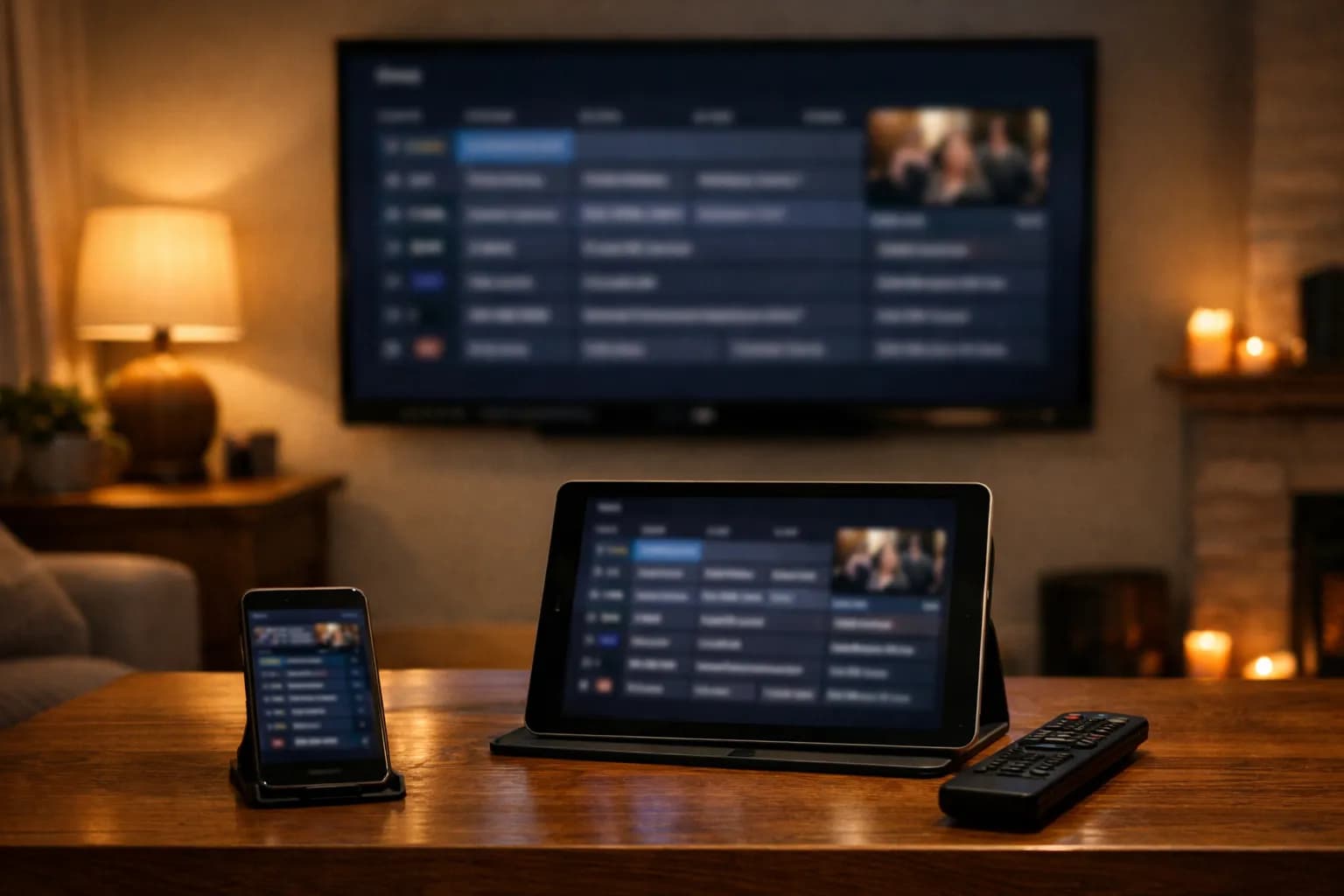
The best IPTV app in the UK in 2026 is TiviMate for Firestick and Android TV, and IPTV Smarters Pro is the best free app, running on Firestick, Android, iPhone, Windows and some Smart TVs. On iPhone and iPad the strongest choice is GSE Smart IPTV, and on a Windows PC or Mac the simplest free option is VLC. The ranking below explains each pick, and where UK app stores differ from the US-written guides.
All apps below are compatible with the Xtream Codes API or M3U playlists from Flickhaven's UK IPTV service. Not yet a Flickhaven customer? Start your free 24-hour trial. Not sure what IPTV is? Start with our what IPTV actually is. Streaming on a Firestick or Android box? See our top IPTV players for Firestick & Android in 2026 and IPTV on Chromecast with Google TV.
Best overall
TiviMate
Best free app
IPTV Smarters Pro
Best for iPhone
GSE Smart IPTV
Best for PC/Mac
VLC Media Player
Best for beginners
IPTV Smarters Pro
Best for Android box
TiviMate
Which IPTV app is best for your device?
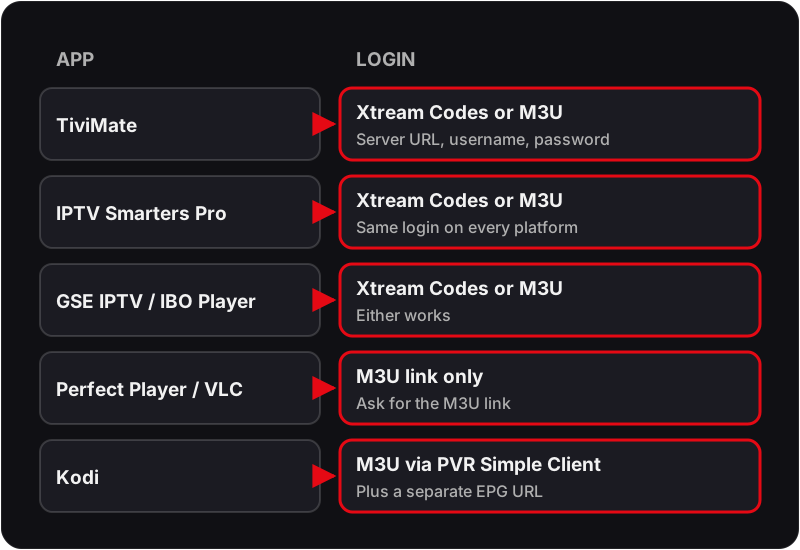
Seven IPTV apps compared on what decides the choice for a UK viewer: the devices each app runs on, what it costs, and whether it accepts Xtream Codes logins or only an M3U playlist link.
| IPTV app | Best for | Devices | Price | Login type |
|---|---|---|---|---|
| TiviMate | Best Overall | Firestick, Android TV, Android Box | Free (paid Premium tier) | Xtream Codes or M3U |
| IPTV Smarters Pro | Best Free Option | Firestick, Android, iOS, Windows, Smart TV | Free | Xtream Codes or M3U |
| GSE Smart IPTV | Best for iOS | iPhone, iPad, Apple TV, Android | Free (in-app upgrades) | Xtream Codes or M3U |
| Perfect Player | Best for Android Box | Android, Android TV, Android Box | Free | M3U only |
| IBO Player | Easy Setup | Firestick, Android TV, Android, Smart TV | Free trial, then paid activation | Xtream Codes or M3U |
| VLC Media Player | Best for PC/Mac | Windows, macOS, Linux, Android, iOS | Free (open source) | M3U only |
| Kodi | Most Customisable | Firestick, Android, Windows, macOS, Raspberry Pi | Free (open source) | M3U via the PVR IPTV Simple Client addon |
The best IPTV app for Firestick
TiviMate is the best IPTV app for Firestick: the strongest guide, recording on the paid tier and smooth 4K playback. It is not in the Amazon Appstore, so on a Firestick it is sideloaded with the Downloader app. IPTV Smarters Pro is the free IPTV app for Firestick most people try second; check the Appstore first, and sideload it the same way if it is not listed. The IPTV Firestick setup guide and our explainer on Downloader codes and safe sideloading cover the install step by step.
Where to Actually Find These Apps in the UK
Search demand from UK Firestick owners clusters heavily around two names — TiviMate and IPTV Smarters Pro — followed by GSE Smart IPTV among iPhone and iPad users and SS IPTV / Smart IPTV among Samsung and LG Smart TV owners. UK app-store listings aren't consistent across devices, though, and that trips up a lot of first-time setups:
- •TiviMate is on Google Play for Android TV and Google TV devices, but not in the Amazon Appstore, so on a Firestick it has to be sideloaded via the Downloader app.
- •IPTV Smarters Pro is on both the UK App Store and Google Play directly, but on Firestick it shows up in the Amazon Appstore search inconsistently by device model — sideloading via Downloader remains the reliable route for UK Fire TV.
- •Smart IPTV (SIPTV) and SS IPTV only appear in the Samsung and LG Content Stores respectively. If either is missing from a UK-bought TV's store search, the TV's region setting is usually the culprit — common on ex-display or grey-import sets from online marketplaces.
- •Watch for near-identical names in UK app-store search results — “IPTV Smarters” (no “Pro”), “Smarters Player Lite” and various “GSE IPTV Lite” clones rank alongside the genuine apps. Check the developer name against the ones listed below before installing anything.
TiviMate
Best OverallFirestick · Android TV · Android Box
9.5/10
Free (paid Premium tier)
“TiviMate is the gold standard for IPTV players on Firestick and Android TV. The EPG is perfectly formatted for UK broadcasting schedules, and 4K streams play smoothly on a decent connection. If you have a Firestick, use TiviMate.”
Pros
- ✓Best EPG TV guide for UK channels
- ✓Smooth 4K playback
- ✓Multi-screen recording
- ✓Beautiful, intuitive UI
- ✓Catch-up TV support
Cons
- ✗Android/Firestick only — no iOS or PC
- ✗Premium needed for full features
IPTV Smarters Pro
Best Free OptionFirestick · Android · iOS · Windows · Smart TV
9.0/10
Free
“IPTV Smarters Pro is the best free IPTV app and the most versatile — it works on Firestick, Android, iPhone, iPad, and Windows. Perfect for users who want a single app across multiple devices.”
Pros
- ✓Completely free
- ✓Works on all platforms including iOS
- ✓Simple setup with Xtream Codes
- ✓Good EPG support
- ✓VOD and Series sections
Cons
- ✗UI less polished than TiviMate
- ✗Occasional crashes on older devices
GSE Smart IPTV
Best for iOSiPhone · iPad · Apple TV · Android
8.5/10
Free (in-app upgrades)
“If you watch IPTV on an iPhone, iPad, or Apple TV, GSE Smart IPTV is the best choice. The EPG is well-designed for UK channels and the app is stable and fast on iOS.”
Pros
- ✓Best IPTV app for iPhone and iPad
- ✓Excellent EPG on iOS
- ✓Supports M3U and Xtream Codes
- ✓Apple TV compatible
- ✓Chromecast support
Cons
- ✗iOS version has more features than Android
- ✗Pro version required for advanced EPG
Perfect Player
Best for Android BoxAndroid · Android TV · Android Box
8.0/10
Free
“Perfect Player is ideal for older or lower-spec Android TV boxes where TiviMate may run slowly. It is lightweight, fast, and handles large M3U playlists without issues.”
Pros
- ✓Lightweight and fast
- ✓Excellent for older Android boxes
- ✓Clean channel grid layout
- ✓Low memory usage
Cons
- ✗No Xtream Codes — M3U only
- ✗Less polished than TiviMate
- ✗No iOS version
- ✗Removed from the Google Play Store — UK users need the APK from the developer's own site
IBO Player
Easy SetupFirestick · Android TV · Android · Smart TV
7.8/10
Free trial, then paid activation
“IBO Player is a good beginner-friendly option. Setup is straightforward and it works reliably with Xtream Codes credentials. A solid choice if you want something simple.”
Pros
- ✓Very simple setup
- ✓Good for beginners
- ✓Works with Xtream Codes
- ✓Supports MAG portal
Cons
- ✗Fewer features than TiviMate
- ✗EPG less reliable
- ✗Smaller developer community
VLC Media Player
Best for PC/MacWindows · macOS · Linux · Android · iOS
7.5/10
Free (open source)
“VLC is the best free option for watching IPTV on Windows or Mac. It supports M3U playlists out of the box — just paste your Flickhaven M3U URL and watch. No frills, but reliable.”
Pros
- ✓Completely free, open source
- ✓Available on every platform
- ✓Supports M3U playlists
- ✓No account required
Cons
- ✗No EPG TV guide
- ✗No Xtream Codes support (M3U only)
- ✗Not designed specifically for IPTV
Kodi
Most CustomisableFirestick · Android · Windows · macOS · Raspberry Pi
7.0/10
Free (open source)
“Kodi is powerful but requires more technical knowledge to set up for IPTV. Use it if you want maximum customisation and are comfortable with addon installation. For most UK users, TiviMate or IPTV Smarters is a better choice.”
Pros
- ✓Highly customisable with addons
- ✓Large community and support
- ✓Works on almost any device
- ✓Free and open source
Cons
- ✗Complex setup — not beginner friendly
- ✗Requires PVR addon for IPTV
- ✗Can be slow on older hardware
Setting up on a specific device?
For iPhone and iPad users, our IPTV iPhone & iPad setup guide walks you through installing IPTV Smarters Pro and GSE Smart IPTV on iOS step by step.
Full Setup Guide for Each App
Picked one from the list above? Each app has its own dedicated walkthrough — playlist/EPG entry, first-run settings and the fixes for the errors that trip people up most:
Beyond the seven ranked above, a few more players have their own guides. On a budget, start with the best free IPTV apps in the UK. On older Android boxes, Perfect Player on Firestick and the XCIPTV Player setup guide cover two lighter apps, and owners of the onn 4K Plus box should read TiviMate on the onn 4K Plus. Smart TV owners have two app-specific routes: the Smart IPTV (SIPTV) guide and IPTV Smarters on LG Smart TV. Samsung owners can follow our Samsung Smart TV IPTV setupwalkthrough. Philips owners should check the TV's system first; our Philips TV IPTV app guide covers which players run on Google TV and Titan OS sets. If you already use Stremio, see how to add IPTV to Stremio. Every app here logs in the same way, which our guide to Xtream Codes IPTV explains, with the Firestick specifics in Xtream Codes setup on Firestick.
Ready to Try These Apps?
All apps above work with Flickhaven. Start your free 24-hour trial and set up on your preferred device in minutes.
Keep going with our how IPTV works in the UK, how the top UK IPTV providers compare and start a free trial.