Flickhaven IPTV UK
Premier League IPTV UK: Watch Live EPL Football (2026 Guide)
Premier League IPTV means televised EPL matches on the premium live sports channels included in every Flickhaven plan, with no satellite contract. Matches stream to any device that runs an IPTV player, from a Firestick to a smart TV, and 7-day catch-up covers the games you miss. Kick-off is the real test of a provider, so start the free 24-hour trial before a Saturday 5.30pm or midweek evening fixture.
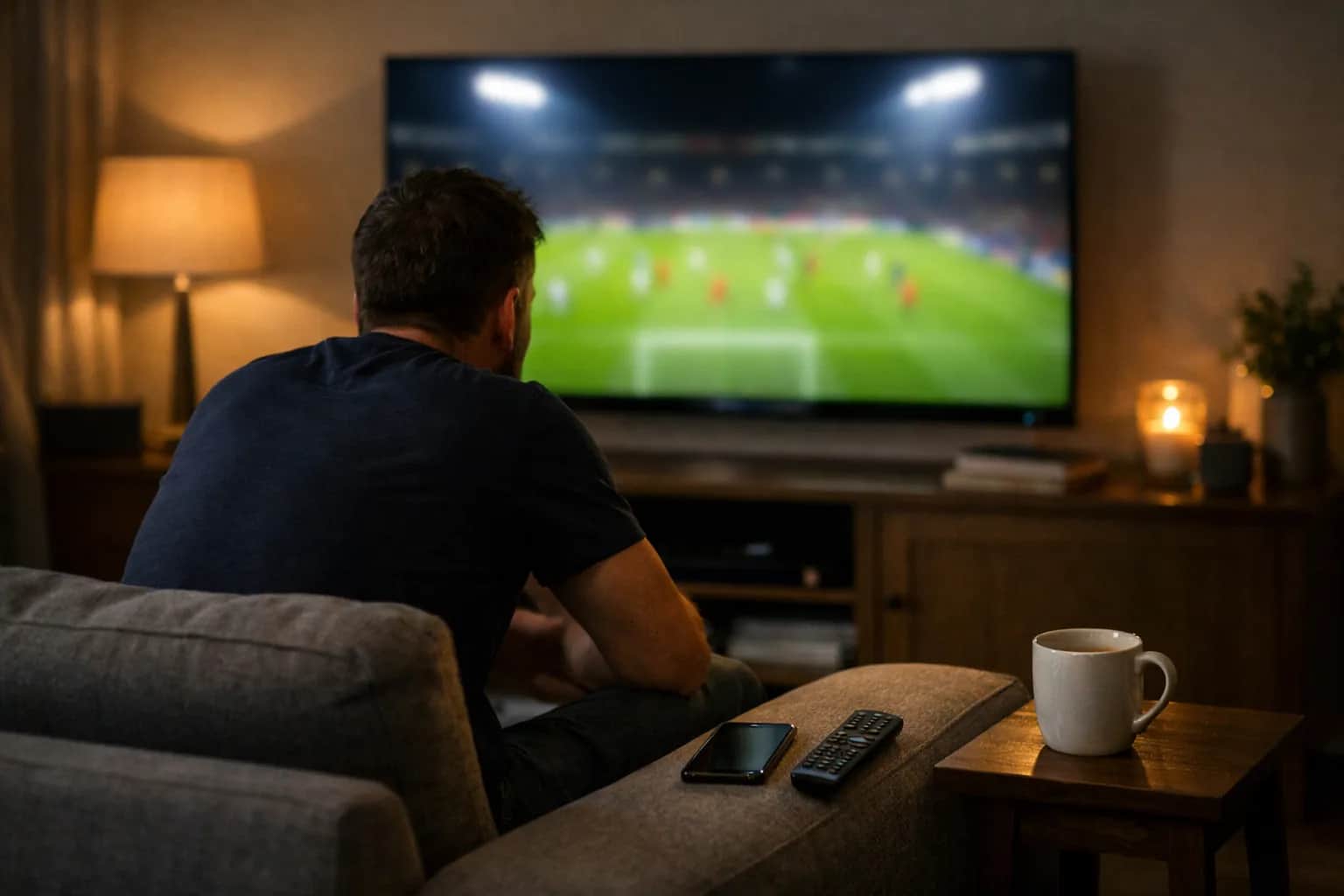
Premier League IPTV: televised EPL matches live, without a satellite TV contract.
Flickhaven includes premium live sports channels in every plan, in HD and in 4K where the match is produced in 4K, starting from £15.00/month — check the fixtures you follow during the free 24-hour trial.
The Premier League is the most-watched football league in the world, and UK fans following it on satellite TV pay £69.00/month for the base package and sports add-on together (prices in our cost of watching sport guide). With IPTV football, such as our UK IPTV service, you can watch the televised matches on any device — Firestick, Smart TV, phone, or tablet — for a fraction of that cost.
Flickhaven includes premium live sports channels that carry televised Premier League football from August through to May, including the title run-in, relegation battles, and European nights — check the channels you need during the free 24-hour trial. Football is only part of the package — our guide to the IPTV sport guide covers cricket, F1, rugby, tennis and the rest, and our World Cup 2026 UK viewing guide covers the international game.
Why Premier League TV Coverage Is So Fragmented in the UK
No single traditional TV service shows every Premier League match. The league sells its live UK rights in separate packages to competing broadcasters, each holding a different share of the fixtures — so following one team across a full season means stacking two or more subscriptions, each with its own contract, box, and app.
Then there's the Saturday 3pm blackout: under UK broadcasting rules, matches kicking off at 3pm on Saturday are not shown live on traditional UK television at all. The rule exists to protect attendance at lower-league grounds — but it means that even if you paid for every sports package on the market, part of each weekend's fixture list would still be missing from your TV guide.
That fragmentation — not picture quality — is the main reason UK fans move to IPTV: one subscription, one app, one EPG, with the premium live sports channels in the same place. Our guide to a Flickhaven IPTV subscription sets out what each prepaid plan includes. The cost comparison further down this page shows what the traditional stack adds up to.
EPL IPTV: What the Live Sports Channels Cover
Football
Televised Premier League, EFL and European fixtures
Rugby
Club and international rugby
Formula 1
Practice, qualifying and race coverage
Cricket
Test, one-day and T20 cricket
Golf
Tour events and the majors
Boxing
Undercards and main events on the live sports channels
Line-ups follow UK broadcast rights and can change — check the channels you need during the free 24-hour trial.
IPTV Live Football on Any Device
Firestick
Setup guide →
Android TV Box
Setup guide →
Samsung Smart TV
Setup guide →
iPhone / iPad
Setup guide →
Android Phone
Setup guide →
Windows PC
Setup guide →
Most football fans watch on the big screen: the Firestick setup guide and the Samsung Smart TV setup guide get you from unboxing to a live match in about 5 minutes each.
Matchday Practicalities: Kick-Off Times, GMT/BST and Your EPG
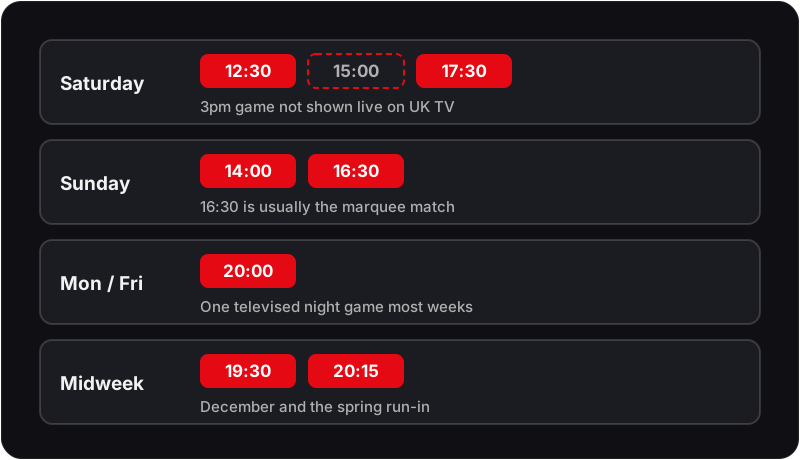
Premier League fixtures follow regular UK kick-off slots. All times below are UK local time — GMT through the winter, BST from late March to late October:
| Matchday | Usual kick-offs (UK time) | Worth knowing |
|---|---|---|
| Saturday | 12:30, 15:00, 17:30 | 3pm games are not broadcast live on UK television |
| Sunday | 14:00, 16:30 | The 16:30 slot is usually the weekend's marquee match |
| Monday / Friday | 20:00 | One televised night game most weeks |
| Midweek rounds | 19:30, 20:15 | Clustered fixtures in December and the spring run-in |
Because the season straddles both clock changes, check your player's timezone setting in the week the clocks move: if every programme in your guide suddenly looks an hour off, the EPG offset is wrong — not the stream. In TiviMate it's Settings → EPG → Time offset; IPTV Smarters Pro has the same control in its EPG settings. Our EPG troubleshooting guide covers the other common guide problems.
Missed a kick-off entirely? Flickhaven's 7-day catch-up lets you go back and watch the full match — handy for the Saturday lunchtime games and midweek rounds that clash with work.
A Five-Point Checklist Before Kick-Off
- 1Open the app before kick-off, not at it, so the channel list and EPG have finished loading while you are still settling in.
- 2Find the match in the guide and note which of the UK's premium sports channels is carrying it; the sports channels run several fixtures at once and the guide is quicker than scrolling the list.
- 3Pick the feed to match the screen: 4K on a 4K-capable TV with a wired connection, HD everywhere else. A 4K feed on a struggling Wi-Fi link is worse than a steady HD one.
- 4Pause any downloads, cloud backups or game updates on the same connection for the next two hours.
- 5Note a second feed of the same channel in favourites so a switch takes one click rather than a search.
If you are unsure what your connection can carry, the internet speed guide for IPTV in the UK shows how to test it from the device itself, and the multi-device guide explains how connection counts work when two screens want two matches.
If Something Goes Wrong During the Match
Buffering in the first few minutes after kick-off
Kick-off is peak load on every part of the chain, including your own router. Switch to the HD feed of the same channel, and if it settles, stay there for the first half. Persistent buffering across channels is a connection issue, covered step by step in the buffering fix guide.
Black screen with the channel name showing
The player has connected but the stream has not started. Give it a few seconds, then exit and reopen the channel. If it stays black on one channel only, use the alternate feed; if it is black everywhere, restart the app.
Commentary out of step with the picture
An audio-sync drift, usually on one feed rather than the whole service. Switching feed clears it; if it recurs, change the decoder setting in your player from hardware to software and test again.
The match is on, but the guide says something else
An EPG offset, common in the week the clocks change. The stream is correct; adjust the time offset in your player's EPG settings as described in the matchday section above.
The IPTV buffering fix guide covers the connection checks in order, from router placement to a wired adapter.
What to Test During the Free 24-Hour Trial
Start the trial on a day with live football, not a quiet midweek afternoon. Open the UK's premium sports channels at a real kick-off time, leave one running for a full half, and switch between the HD and 4K feeds to see which your connection holds. Then open catch-up and play a match from earlier in the week to confirm the archive works on your device.
That one evening tells you more than any channel list: whether the guide matches what is on screen, whether your Wi-Fi survives peak load, and whether the device you own is the right one for the job. Pay only once all three are settled.
Cost: Satellite Sports Channels vs Flickhaven IPTV
Satellite Sports Package (Full PL Coverage)
- Satellite TV base package £26.00/mo
- Satellite sports add-on (9 channels) £43.00/mo
- Total £69.00/mo
- Per year £828.00/yr
Flickhaven IPTV
- Premium live sports channels Included
- 4K + 55,000+ channels Included
- Total £15.00/mo
- Per year £180.00/yr
Save £640+ per year on the monthly plan against the satellite base package and sports add-on. Read the full IPTV vs Virgin Media comparison.
Premier League IPTV FAQs
Can I watch Premier League on IPTV in the UK?
Yes. Premium live sports channels are included in a Flickhaven subscription, so televised Premier League football sits in the same channel list as everything else — check the channels you need during the free 24-hour trial. Matches kicking off at 3pm on Saturday are not broadcast live on UK television, so they are not part of any UK channel line-up.
How many Premier League games are on satellite sports channels?
Under the 2025–29 rights cycle, live UK Premier League rights are split into separate packages held by more than one rights holder, with the satellite sports package taking the largest share of televised matches. Matches kicking off at 3pm on Saturday are not broadcast live in the UK at all. Premium live sports channels are included with Flickhaven — check the fixtures you follow during the free 24-hour trial.
What is the best IPTV for football?
The best IPTV for football is the one that holds a steady picture at a real kick-off, carries the fixtures you follow and has catch-up for the games you miss. Lists of the best Premier League IPTV providers rarely test any of that, so run the checks yourself in the free 24-hour trial during a live match.
Can I watch Premier League on Firestick with IPTV?
Yes. Install TiviMate or IPTV Smarters Pro on your Firestick, log in with your Flickhaven credentials, and navigate to the premium live sports channels to watch live Premier League matches.
Is the Premier League on IPTV in 4K?
4K is included on all plans, but a match is only 4K if the broadcaster produces it in 4K, and many fixtures are HD only. You also need a 4K-capable device and about 25 Mbps on that device.
Can I watch Premier League catch-up on IPTV?
Yes. Flickhaven includes 7-day catch-up, so a televised match you miss can be watched from the TV guide for 7 days after the original broadcast.
What internet speed do I need for a match in HD or 4K?
A stable connection matters more than a fast one. HD streams run comfortably on ordinary home broadband; 4K needs 25 Mbps or above and benefits from a wired connection, because Wi-Fi drop-outs at kick-off look exactly like buffering. Our internet speed guide explains how to test what your device actually receives rather than what your provider advertises.
Can two people in my house watch different matches at the same time?
Only if your plan includes more than one connection. Each plan sets how many devices can stream at once; a second device starting a stream on a single-connection plan will stop the first. Check the multi-device page before a weekend where two matches clash.
What should I do if a stream drops in the middle of a match?
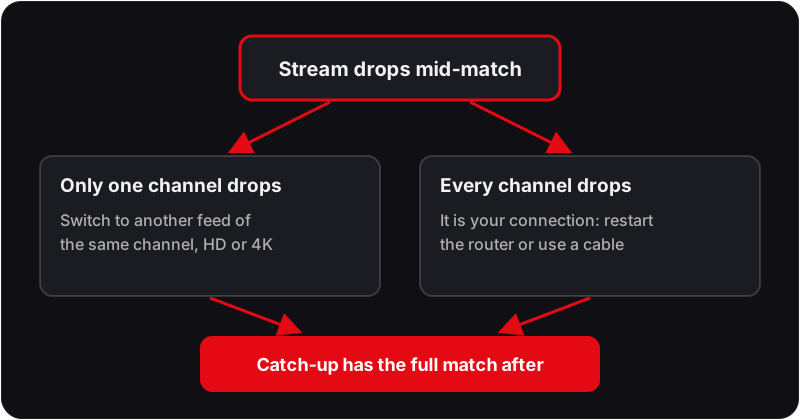
Switch to another feed of the same channel first — the UK's premium sports channels usually appear in the list more than once, in HD and in 4K — and come back to the original later. If every channel drops together, the problem is your connection, not the service; if only one does, it is that stream, and catch-up will have the full match afterwards.
Watch This Weekend's Premier League Matches
Try Flickhaven free for 24 hours on any device — no credit card required. Start it before a live kick-off.
Keep going with our IPTV in the United Kingdom, how the top UK IPTV providers compare and test it free first.