Flickhaven IPTV UK
How to Set Up an Android IPTV Box in the UK
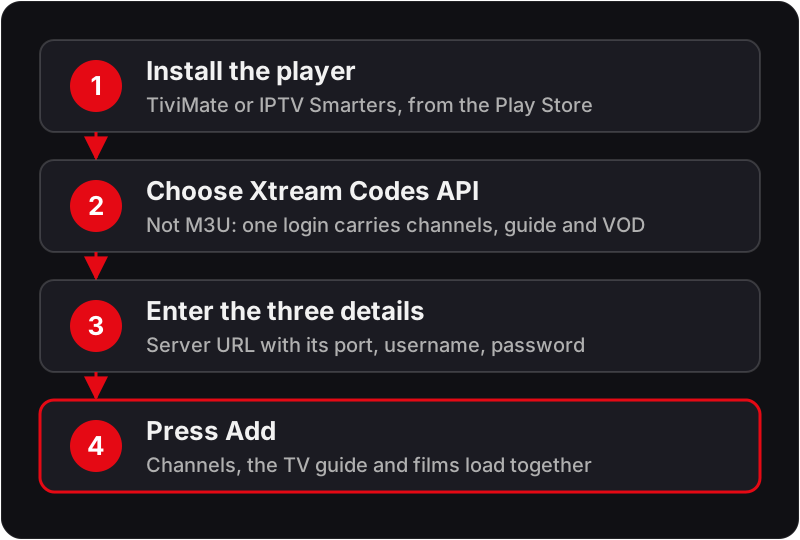
An Android IPTV box needs one thing installed: an IPTV player app from the Google Play Store, such as TiviMate or IPTV Smarters Pro. Open the app, choose Xtream Codes API, and enter the server URL with its port, your username and your password exactly as sent. The channels, TV guide and films then load together. If a certified Android TV box shows the guide but a stream will not play, check the decoder, the plan's connection count and the network, in that order.
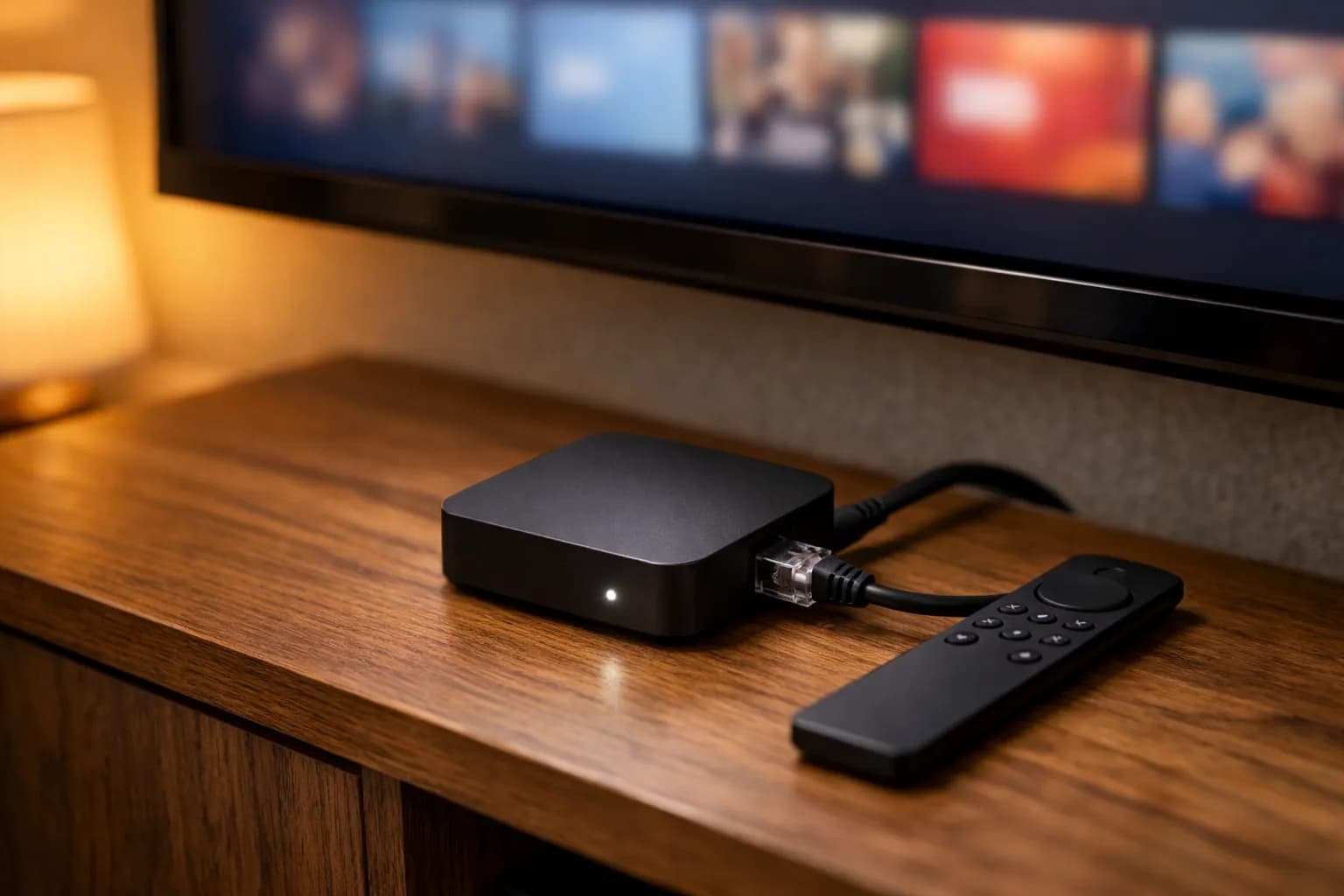
Android TV boxes are among the best IPTV devices available, and the hardware UK viewers actually buy skews differently to the US market, where Walmart's onn boxes are the budget pick (our guide to TiviMate on an onn 4K Plus covers that one). Nvidia Shield TV and Google's Chromecast with Google TV, replaced in 2024 by the Google TV Streamer, are common Android TV devices in UK living rooms. All are sold through mainstream UK retailers and carry full Google TV/Android TV certification, which matters for what follows. TiviMate delivers the best experience on any of them.
Compatible Devices
Nvidia Shield TV / Shield TV Pro · Google TV Streamer · Chromecast with Google TV (HD & 4K) · Xiaomi Mi Box S · BuzzTV XPL3000 · Formuler Z8 · Mecool KM2 · Any device running Android TV 7.0+
IPTV on an Android TV box in four steps
Whichever player you choose, setting up IPTV on an Android TV box follows the same four steps. The two methods below are the exact taps in each app.
Method 1: TiviMate, the IPTV app for Android TV we recommend
💡 TiviMate is available directly on the Play Store for Android TV — no sideloading needed.
Method 2: IPTV Smarters Pro
What to enter, and where each setting lives
Both apps ask for the same three things. Most first-run failures come from typing them slightly wrong rather than from the app or the box.
The three credentials
- Server URL: copy it exactly as sent, including the http:// prefix and the port number after the colon. Leaving the port off is the single most common cause of "could not connect".
- Username and password: both are case-sensitive. The on-screen keyboard's auto-capitalise setting will change the first letter if you let it; check what you typed before you press Add.
- Playlist name: anything you like. It is only a label inside the app.
Choose the Xtream Codes API option rather than M3U wherever you are given the choice. The Xtream login carries the channel list, the guide and the VOD library together, so there is nothing else to configure.
TiviMate settings worth knowing
- Settings → Playlists: edit the credentials, set the update interval and toggle the EPG source for the playlist.
- Settings → Player: the decoder choice (hardware or software) and the buffer size. If a stream plays with audio and no picture, change the decoder here first.
- Settings → EPG: the guide's update schedule and timeshift. A guide that runs an hour out is fixed here, not in the playlist.
IPTV Smarters Pro settings worth knowing
- Settings → Player selection: switch between the built-in player and an external one if a channel will not play.
- Settings → Stream format: if the app offers a choice of output formats, trying the other one resolves most channels that start and immediately stop.
- Playlist refresh: from the user list, refresh the playlist after support adds channels to your account, or the new channels will not appear until the next automatic update.
The guide loads but a stream does not
If categories and channel names appear, your credentials are correct and the box can reach the server. Work through these in order, because each step rules out the next:
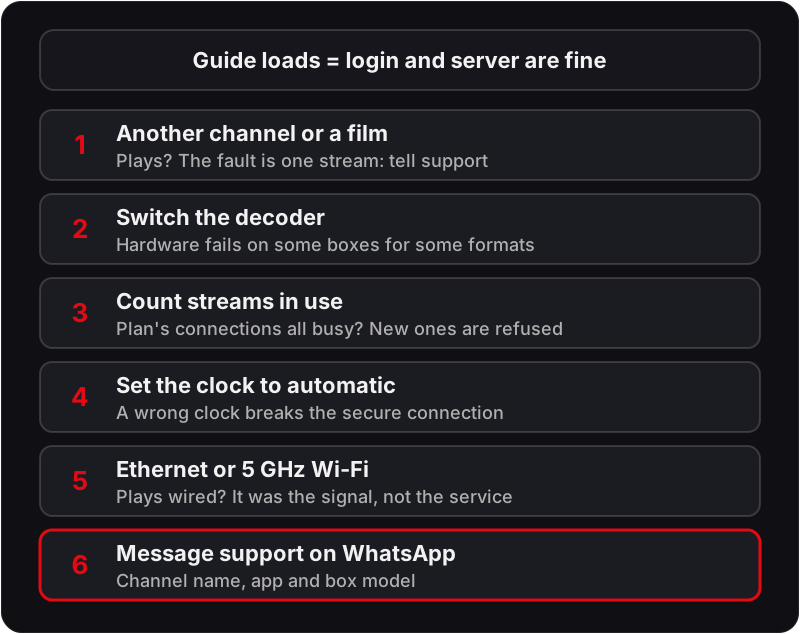
- 1Try a channel in a different category, then a film from the VOD section. If those play, the problem is the one stream, not your setup. Note the channel name for support.
- 2Change the decoder (TiviMate: Settings → Player; Smarters: player selection) and reopen the same channel. Hardware decoding fails on some boxes for some formats.
- 3Check whether another device on the same account is streaming at the same time. If your plan's connection count is already in use, the list loads but a new stream is refused.
- 4Check the box's date and time are set to automatic. A clock that is hours out breaks the secure connection to the server even though the channel list, fetched earlier, still shows.
- 5Move the box to Ethernet, or to the 5 GHz Wi-Fi network, and try again. A stream that starts and stalls on Wi-Fi and plays on cable is a signal problem, not a service problem.
- 6Still nothing? Message support on WhatsApp with the channel name, the app you are using and the box model. A stream that fails only for you on only one channel can usually be switched to another source within minutes.
Buying a box rather than fixing one? Our guide to which Android TV box to buy for IPTV in the UK compares certified hardware on the points that matter for streaming. Watching on a Samsung instead? See how to get IPTV on a Samsung TV. Own a Philips television rather than a box? Our guide to setting up IPTV on a Philips Android TV or Titan OS set explains why 2026 models no longer have the Play Store.
Play Store UK Region & Uncertified Boxes
Two separate issues cause "the app isn't available" on Android TV, and they need different fixes:
- ▸Play Store account region: a small number of IPTV-adjacent apps are geo-restricted and won't list for a UK-region Play Store account even on certified hardware. Check your account's country under Play Store → profile icon → Settings → General → "Country and profiles" before assuming the device is at fault.
- ▸Uncertified "Android box" hardware: cheap generic boxes sold outside official channels often aren't Play Protect certified, ship with old, unpatched Android builds, and either lack the Play Store entirely or run a stripped-down version that won't install TiviMate normally. Nvidia Shield and Chromecast with Google TV avoid this because they're certified Google TV/Android TV devices with the full Play Store.
- ▸Where an app genuinely isn't listed for a certified device, sideloading the APK via the Downloader app (available on the Play Store itself) is the standard workaround — install Downloader first, then use it to fetch the APK directly rather than hunting for unofficial Play Store mirrors.
UK Broadband Router Quirks on Android TV Boxes
Most Android TV boxes sit on Wi-Fi next to the TV, which exposes them to the same UK router-side shaping that affects other devices, with a couple of Android-TV-specific angles:
- ▸BT Smart Hub 2: Family & Content Controls scheduling can throttle a box the same way it does a laptop during the 6–10pm peak window — worth checking if buffering only happens in the evening.
- ▸Virgin Media Hub 3/4/5: the Advanced Settings → Firewall security level set to "High" can interrupt TiviMate's long-lived stream connections. Dropping it to "Medium" is the usual fix if channels start then stall repeatedly.
- ▸TalkTalk HomeSafe / EE Smart Hub: both apply per-device filtering or bandwidth caps that can affect a box differently to your phone or laptop on the same network — check the device list in each provider's app if one device buffers and others don't.
The Shield TV Pro and most third-party boxes have a LAN port — wired Ethernet is the single most effective fix for persistent 4K buffering, since it removes Wi-Fi contention and most router-side shaping in one step.
Android TV IPTV Questions
Is the IPTV app for Android phones the same as on an Android TV box?+
Usually yes. IPTV Smarters Pro runs on Android phones and Android TV boxes, and the same Xtream Codes login works on both. TiviMate is built for the TV screen only, so on a phone use a phone player instead. For a side-by-side of players, see our guide to the best IPTV players for Firestick and Android.
Do I need TiviMate Premium?+
No. The free version plays a single playlist with the guide, which is all a one-provider setup needs. Premium adds features such as multiple playlists, recording and extra customisation. Start on the free version, and upgrade only if you find yourself wanting one of those.
Can I use IPTV on an Android box that has no Play Store?+
Yes, by sideloading. Install the app's APK through a file manager from a USB stick, or through the Downloader app if the box has it. Allow installs from unknown sources when the box asks. Expect to update the app manually, because there is no store to do it for you.
Can I use the same login on my phone and the box?+
Yes. The credentials are the same on every device. How many can stream at the same moment depends on the connection count of your plan, so if the box refuses a stream while your phone is playing, that is the limit at work rather than a fault.
Why does the box buffer on Wi-Fi when my phone on the same network is fine?+
Boxes often sit behind the TV where the signal is weakest, and some connect on the slower 2.4 GHz band by default. Move the box into clear air, join the 5 GHz network by name if the router splits them, or use the LAN port. Wired is the one change that removes Wi-Fi from the equation entirely.
Ready to Stream on Your Android TV Box?
Try Flickhaven free for 24 hours on one Android TV device.
For the full picture, see these guides: how IPTV works, UK IPTV explained, complete best IPTV UK guide, IPTV free trial UK, Chromecast with Google TV setup and IPTV setup on any device.