IBO IPTV Player (IBO Player Pro)
Firestick & Android Setup
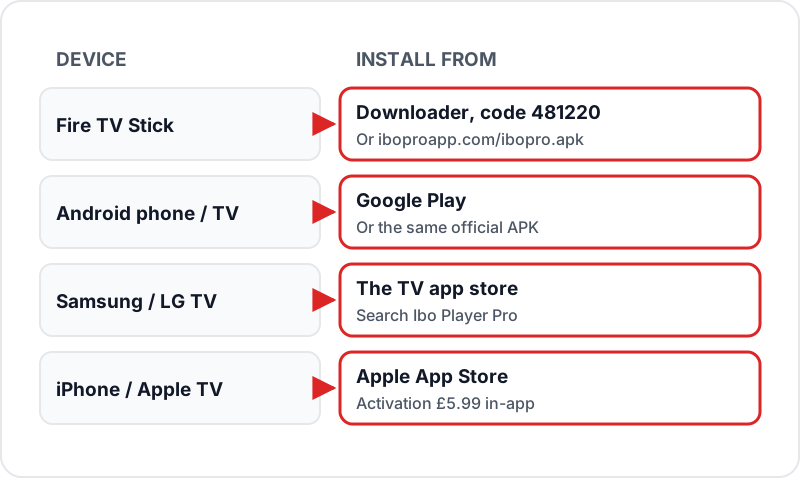
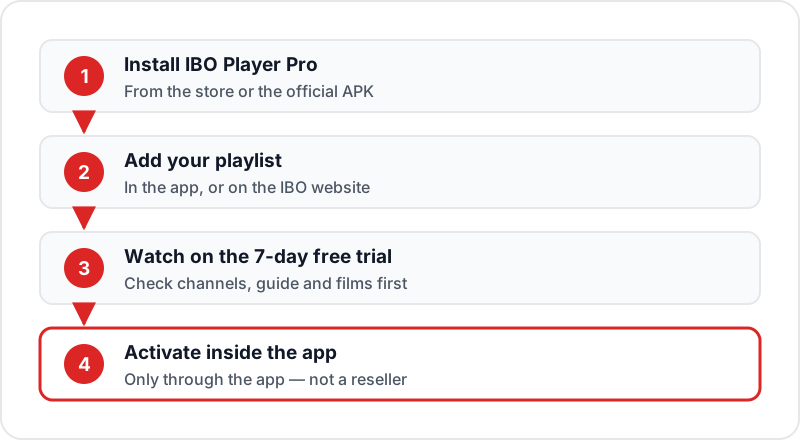
IBO IPTV usually means IBO Player Pro, a media player for Firestick, Android, Samsung, LG and Apple devices that contains no channels. On Firestick, install Downloader, enter the code 481220 and install the APK; on Android use Google Play. Add your Xtream Codes login, watch on the 7-day free trial, then activate inside the app. Never buy a licence from a reseller.
IBO Player Pro — the app most people mean by IBO IPTV — is a TV-remote-friendly player for Firestick, Android, smart TVs and Apple devices. It starts with a 7-day free trial, then needs a paid in-app activation. Here's how to install it and connect your Flickhaven subscription in minutes.
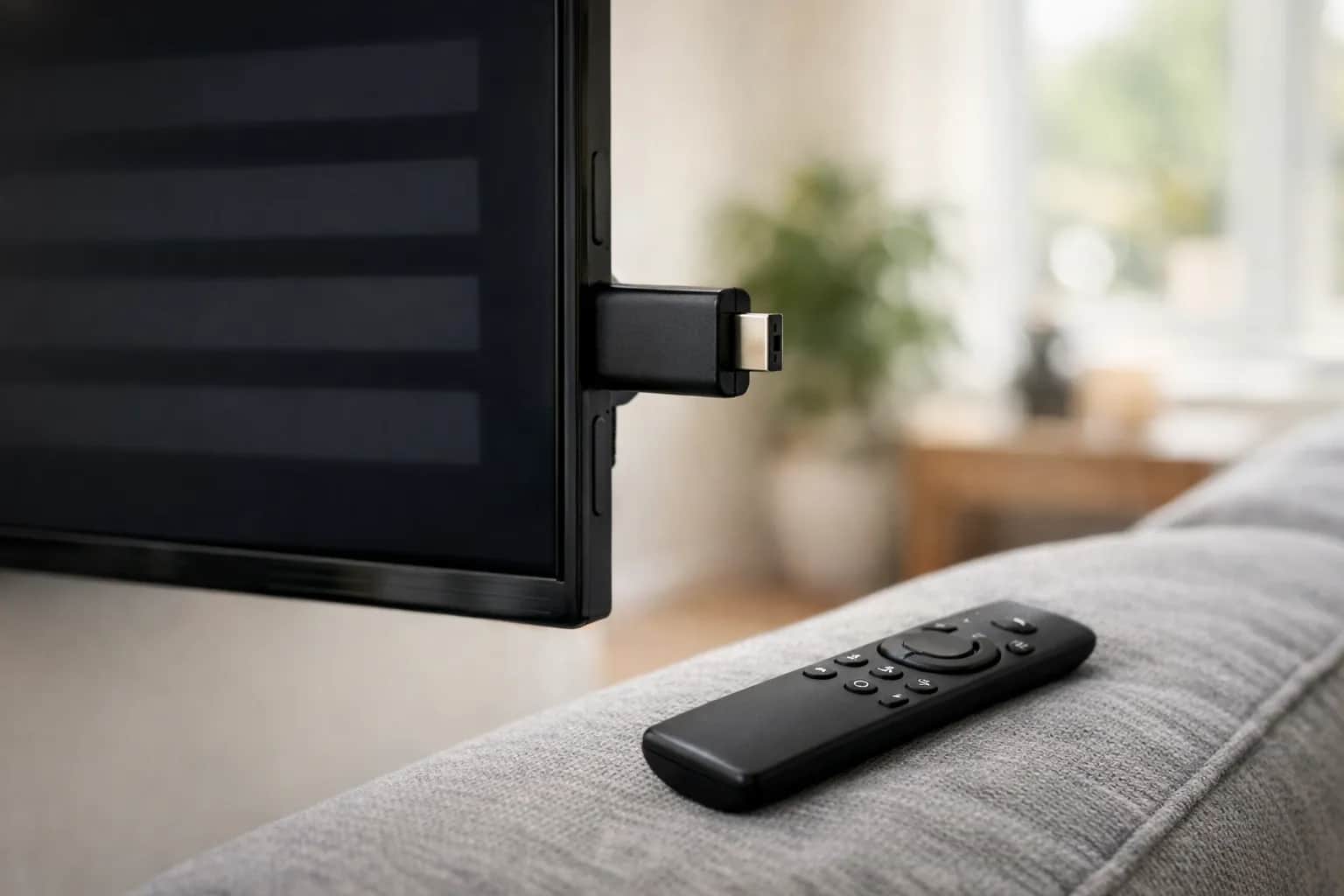
What is IBO Player Pro (IBO IPTV)?
- ✓A media player for Firestick, Android, Samsung and LG TVs, Roku, Apple devices and Windows — it contains no channels, so you add your own playlist
- ✓Takes an Xtream Codes login (recommended) or an M3U playlist, added in the app or on the IBO website
- ✓Clean, TV-remote-friendly interface with a built-in EPG TV guide and favourites
- ✓7-day free trial, then a paid activation bought inside the app (£5.99 on the UK App Store)
- ⓘOn Firestick it installs from the developer's APK using the free Downloader app and code 481220
Installing IBO Pro Player on Firestick
~10 min1Enable Apps from Unknown Sources▼
From the Firestick home screen, go to Settings → My Fire TV → Developer Options → Apps from Unknown Sources → turn ON.
2Install the Downloader App▼
From the Firestick home screen, open the search icon and type "Downloader". Select the Downloader app by AFTVnews and click Download. It is free and available on the official Amazon App Store.
3Download the IBO Player Pro APK▼
Open Downloader and type the code 481220 — the developer's own shortcut — or the full address iboproapp.com/ibopro.apk. Press Go to begin downloading.
4Install the APK▼
Once the download finishes, Downloader will prompt you to install the file. Press Install. Wait for the installation to complete, then press Open to launch IBO Player Pro for the first time. The 7-day free trial starts now.
5Accept Permissions and Open the App▼
When IBO Pro Player launches, accept any permission requests (storage, network). You will land on the main screen where you can add your playlist.
Adding Your Subscription via Xtream Codes (Recommended)
Open Add Playlist
In IBO Pro Player, tap "Add Playlist" or the + icon on the main screen.
Select Xtream Codes
Choose "Xtream Codes" as the login type from the playlist options.
Enter Your Credentials
Enter your Server URL, Username, and Password exactly as sent in your Flickhaven WhatsApp message. All three are provided when your trial or plan starts.
Tap Load
Press "Load" — IBO Pro Player connects to the server and automatically populates your channel list, VOD library, and EPG guide. This takes 30–60 seconds on first load.
Browse Your Content
Channels appear under Live TV. VOD content appears under Movies and Series. Your EPG guide is loaded automatically — no additional setup needed.
Adding Your Subscription via M3U URL
Open Add Playlist
In IBO Pro Player, tap Add Playlist and select "M3U URL" as the playlist type.
Paste Your M3U Link
Paste your Flickhaven M3U URL into the URL field. Add a playlist name (any label you prefer) and tap Save.
Wait for Channels to Load
Allow 30–60 seconds for IBO Pro Player to download and process your channel list. Large playlists may take up to 90 seconds on the first load.
EPG TV Guide Setup
Using Xtream Codes
EPG is automatic when you log in via Xtream Codes. No extra steps required — your TV guide populates within a few minutes of adding the playlist.
Using M3U Playlist
- 1.Go to app Settings → EPG.
- 2.Enter your XMLTV EPG URL in the EPG URL field (sent with your login on WhatsApp).
- 3.Tap Save, then press “Update EPG” on the main settings screen. EPG loads within 2–5 minutes.
Navigation Tips
Stream options
Long-press the OK button on your Firestick remote to access stream quality options, aspect ratio, and audio track selection.
Channel categories
Use the category list to filter channels by group — e.g., UK, Sports, Movies, News.
Favourites
Long-press a channel and select "Add to Favourites" for quick access to your most-watched channels from the home screen.
Parental controls
Set a parental PIN in the app settings to lock categories you do not want children to open.
IBO Player Pro vs Other Firestick IPTV Apps
| Feature | IBO Pro | TiviMate | IPTV Smarters Pro | Perfect Player |
|---|---|---|---|---|
| Price | 7-day trial, then paid activation | Free / Premium | Free | Free |
| Xtream Codes | ✓ | ✓ | ✓ | ✗ |
| M3U Playlist | ✓ | ✓ | ✓ | ✓ |
| Sideload Required (Firestick) | Yes (code 481220) | Yes | Often — APK if not in the Appstore | Yes |
| Built-in EPG | ✓ | ✓ | ✓ | ✓ |
| Also on Samsung / LG TVs | ✓ | ✗ | ✗ | ✗ |
| Best For | One app across many devices | Power users | Beginners | M3U-only users |
Troubleshooting IBO Pro Player
✗"Cannot connect to server"▼
Double-check that your server URL includes the https:// or http:// prefix and the correct port number. Check for trailing spaces in your username or password — copy-paste from your WhatsApp message to avoid typos.
✗Channels not loading after login▼
Go to app Settings → Reload Playlist. If the problem persists, verify your subscription is active by contacting Flickhaven via WhatsApp.
✗EPG showing wrong data or not updating▼
Go to Settings → EPG → Force Update. Ensure your device timezone is set to GMT/BST (London). EPG data refreshes daily — wait a few minutes for the update to complete.
✗App crashes on startup▼
Clear the app cache on your Firestick: go to Firestick Settings → Applications → Manage Installed Applications → IBO Pro → Clear Cache. Then relaunch the app.
✗Buffering or freezing during playback▼
Switch from Wi-Fi to Ethernet using a Fire TV Ethernet adapter. Also check your internet speed — about 10 Mbps for HD, 15 Mbps for Full HD and 25 Mbps for 4K.
✗App asks to activate▼
The 7-day free trial has ended. Activate inside the app through the store's in-app purchase. Do not pay a reseller for a "lifetime licence" — the developer warns these are not official. Make sure your playlist works before you pay.
Sources
- Ibo Player Pro — developer site, platforms and APK (iboproapp.com)
- Ibo Player Pro — UK App Store listing (7-day trial, £5.99 activation)
Checked on .
Related Guides
Best IPTV Apps for Firestick
Full roundup of the top Firestick IPTV players in 2026.
Best IPTV Apps UK 2026
Compare IPTV apps for Firestick, Android TV, iOS, and smart TVs.
Xtream Codes Firestick Setup
How to enter Xtream Codes credentials in any IPTV app.
Get a Free IPTV Trial
Try Flickhaven free for 24 hours — no payment needed.
Frequently Asked Questions
QIs IBO Player Pro free?▼
Free to install, then paid. IBO Player Pro starts with a 7-day free trial; after that the app needs an activation bought inside the app. On the UK App Store that activation is a £5.99 in-app purchase. The developer warns that unofficial resellers falsely claim to sell Pro licences, so only activate through the app itself.
QWhat is the IBO IPTV app?▼
IBO IPTV usually means IBO Player Pro (sometimes written IBO Pro Player): a media player for Android, Fire TV, Samsung, LG, Roku, Apple devices and Windows. It contains no channels — the developer says it does not sell or offer any content — so you add your own playlist from your IPTV provider.
QHow do I install IBO Pro Player on Firestick without a computer?▼
You do not need a computer. On your Firestick, enable Apps from Unknown Sources in Developer Options, install the free Downloader app from the Amazon Appstore, open Downloader and enter the code 481220 (or iboproapp.com/ibopro.apk), then download and install. The whole process takes a few minutes.
QDoes IBO Pro Player support 4K?▼
It plays 4K streams when the channel itself is broadcast in 4K and your device supports it — on Firestick that means a 4K or 4K Max model. You need about 25 Mbps for 4K; Amazon's Ethernet adapter gives a steadier connection than Wi-Fi.
QWhat is the best login method for IBO Pro Player?▼
Xtream Codes API is the recommended login method. It automatically loads your full channel list, VOD library, and EPG guide — no manual URLs or file downloads needed. Simply enter your server URL, username, and password from your Flickhaven WhatsApp message.
QCan I use IBO Player Pro on an Android phone?▼
Yes. IBO Player Pro is on Google Play for Android phones, tablets and Android TV, and the developer also offers the APK at iboproapp.com. The interface works with touch, though it is designed around TV remotes.
Ready to Use IBO Pro Player with Flickhaven?
Get your Xtream Codes credentials and a free 24-hour trial via WhatsApp. Your login works in IBO Player Pro during its 7-day trial — 55,000+ live channels and 180,000+ films and series.