Flickhaven IPTV UK
IPTV on Nvidia Shield TV: Setup, Best App and Recording (UK)
IPTV on an Nvidia Shield needs no sideloading: the Shield runs full Android TV, so an IPTV app for Nvidia Shield such as TiviMate installs straight from the Google Play Store. Install it, choose the Xtream Codes login, and enter your server URL, username and password. Both Shield models have built-in Ethernet, which removes the main cause of UK evening buffering. Turn on Match content frame rate so 50Hz British broadcasts are not converted to 60Hz.
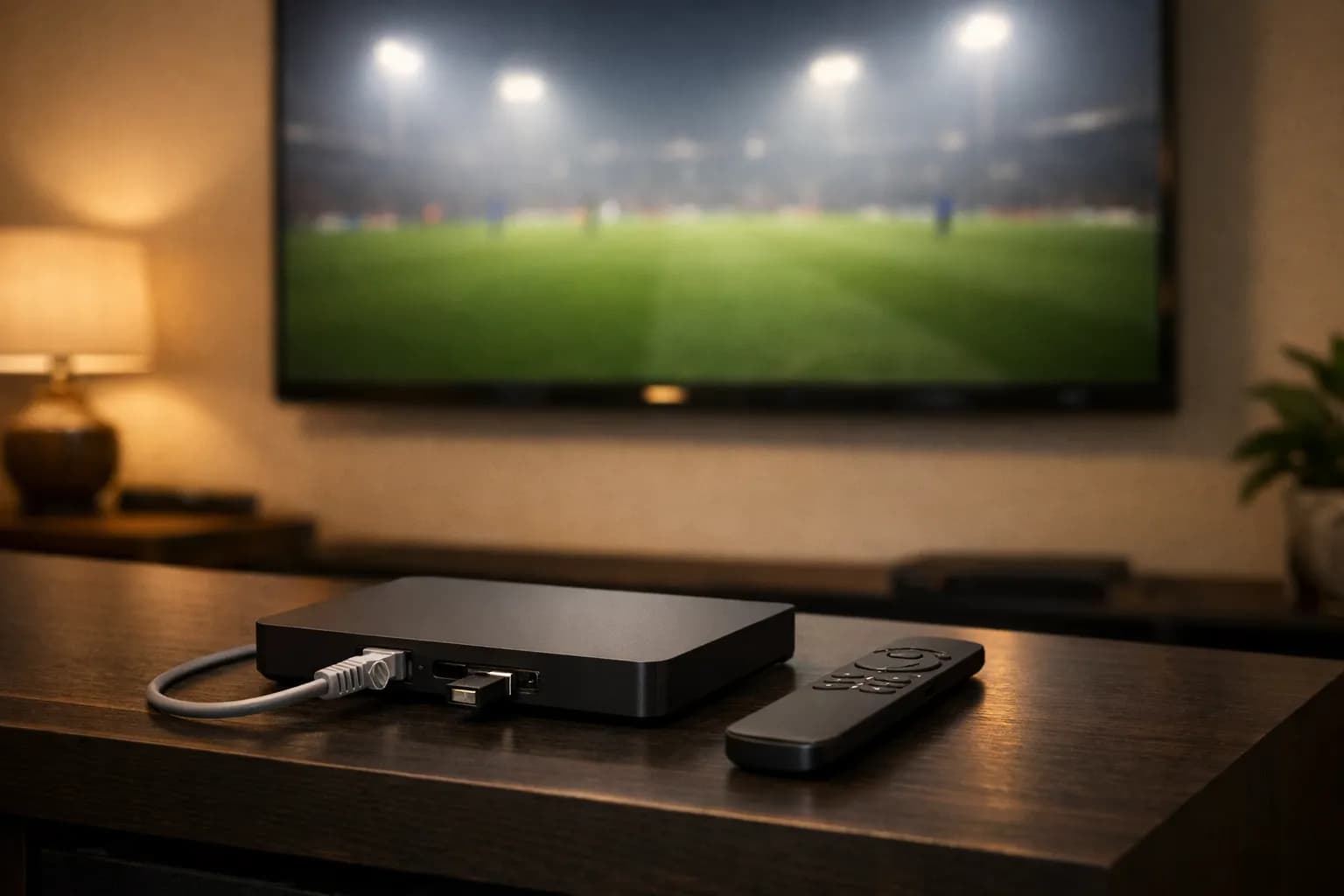
The Shield is the best Android TV box for IPTV, and setup takes five minutes with no sideloading. Because it runs full Android TV rather than Amazon's fork, TiviMate installs directly from the Play Store — none of the Downloader and unknown-sources business a Firestick requires. This guide covers the install, the Xtream Codes login, the display setting UK owners almost always leave wrong, and recording to USB. Related: Android TV setup and best IPTV boxes UK.
Why the Shield Suits IPTV
- ▸ Play Store access — TiviMate installs normally. No Downloader, no unknown sources, no sideloading.
- ▸ Built-in Ethernet on both models, which removes the single biggest cause of UK evening buffering.
- ▸ Memory headroom — a 55,000-entry list plus a week of guide data does not slow the interface the way it does on a stick.
- ▸ Proper 4K HDR output with refresh-rate matching, which matters for 50Hz UK broadcasts.
- ▸ USB storage for recordings, so a DVR setup does not fight the box for internal space.
Setting Up IPTV on the Shield — Step by Step
Step 1: Cable it and set the output correctly
Both Shield models have Ethernet, which is half the reason to own one. The output setting is the part almost every UK owner leaves wrong, and it is why some people see judder on football and assume the stream is at fault.
- 1Connect the Shield to the router by Ethernet and to the TV by HDMI 2.0 or better.
- 2Go to Settings → Display & Sound → Resolution and set it to 4K.
- 3Enable Match content frame rate, so 50Hz UK broadcasts play at 50Hz rather than being converted to 60.
- 4Under Advanced, enable the HDR and Dolby Vision options your TV supports.
Step 2: Install an IPTV app for Nvidia Shield from the Play Store
This is the Shield's advantage over a Firestick in one line: no sideloading, no Downloader, no unknown-sources permission. TiviMate is a normal Play Store install on Android TV.
- 1Open the Google Play Store from the Shield home screen.
- 2Search for TiviMate and install it — or IPTV Smarters Pro if you would rather not pay for a player.
- 3Open the app once so it finishes setting up before you add anything.
- 4Optionally install a second player as a spare — it is the fastest way to tell an app fault from an account fault later.
Step 3: Add your subscription
Xtream Codes is the login type nearly every UK provider issues, and it is the option to pick unless you were given a single long .m3u address instead.
- 1In TiviMate choose Add playlist → Xtream Codes; in Smarters choose Login with Xtream Codes API.
- 2Enter the server URL, username and password exactly as issued — paste rather than type.
- 3Save and let the channel list download; a large UK list takes a minute or two on first load.
- 4Allow the EPG to finish downloading before judging whether the guide works.
Step 4: Tune it for the way you actually watch
A Shield will happily hold 55,000+ channels, but you will not watch them. Five minutes of tidying here is what makes the difference between a box you enjoy and one you find annoying.
- 1Hide country groups you never open, so the channel bar scrolls in a usable number of steps.
- 2Build a favourites group with the twenty or so channels you actually use.
- 3Set the EPG time zone to United Kingdom so programme times match the broadcast.
- 4Increase the buffer slightly if your line is variable — it trades a moment on channel change for steadier playback.
Credentials for your Shield
Xtream Codes login, ready for TiviMate
Flickhaven issues a server URL, username and password that go straight into TiviMate's Xtream Codes screen, with 4K channels for a box that can actually make use of them. The free 24-hour trial issues working credentials with no card, which is long enough to see how a full list behaves on your own line.
Shield TV vs Shield TV Pro for IPTV
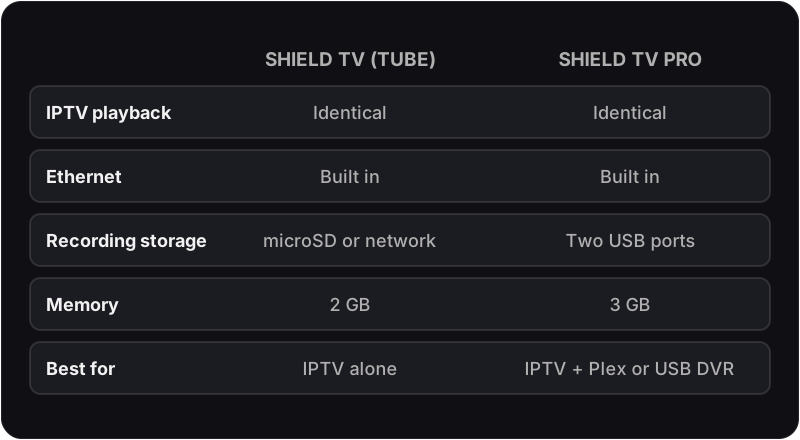
| Consideration | Shield TV (tube) | Shield TV Pro |
|---|---|---|
| IPTV playback | Identical | Identical |
| Ethernet | Built in | Built in |
| Storage for recording | microSD slot or network storage (no USB) | Two USB ports, which makes DVR setup far tidier |
| Large channel lists | Handles them well | Slightly more headroom with a very large list |
| Worth the extra for IPTV alone? | This is the sensible buy | Only if you also want Plex serving or USB recording |
Shield-Specific Problems
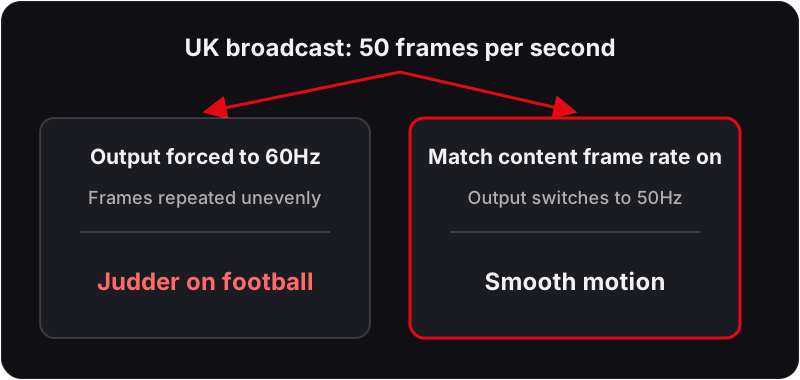
Football looks juddery but the stream is not buffering
Refresh-rate mismatch, not bandwidth. Enable Match content frame rate in Display & Sound so 50Hz UK broadcasts are not force-converted to 60Hz.
Fast motion shows odd artefacts
AI upscaling working on a source that does not benefit. Turn it off for channels that are already 4K and leave it on for HD ones.
Audio drops on some channels
Passthrough negotiating a format the TV or soundbar cannot decode. Set audio output to stereo or PCM to confirm, then re-enable formats one at a time.
Recordings stop partway through
Internal storage filled. Point TiviMate's recording location at an external USB drive on the Pro, or at a microSD card or network storage on the tube model.
App updates itself and loses settings
Back up the TiviMate configuration from within the app before major updates — it exports playlists, groups and favourites in one file.
Interface slows after weeks of uptime
Android TV accumulates cached guide data. A monthly reboot and an occasional EPG cache clear restore it without touching your setup.
Anything not on this list is covered in the symptom-by-symptom IPTV fixes hub, which routes by symptom rather than by device.
Nvidia Shield IPTV — Frequently Asked Questions
How do I set up IPTV on an Nvidia Shield TV?+
The Shield runs Android TV, so the player installs from the Google Play Store with no sideloading. Search for TiviMate or IPTV Smarters Pro, install it, open it and choose the Xtream Codes login option, then enter the server URL, username and password from your provider. The channel list and EPG download automatically and the whole process takes under five minutes.
Is the Nvidia Shield good for IPTV?+
It is the strongest Android TV device for IPTV by some margin. It has enough memory to hold a very large channel list and a full week of guide data without the interface slowing down, a built-in Ethernet port on both models, and hardware capable of decoding every codec a UK IPTV stream is likely to use. The trade-off is price against a much cheaper Android box.
Shield TV or Shield TV Pro for IPTV?+
For IPTV alone, the standard tube-shaped Shield TV is sufficient — the extra memory and USB ports on the Pro matter for Plex servers and game streaming rather than for playing channels. The tube has a microSD slot instead of USB. Choose the Pro if you also want local media serving or USB drives for recording; otherwise the cheaper model plays identically.
What is the best IPTV player for Nvidia Shield?+
TiviMate is the best IPTV app for Nvidia Shield for most people, because the Shield's remote and memory suit it and because it is a direct Play Store install with no sideloading. Its EPG handling, channel groups and recording on the paid tier are the best available on Android TV. IPTV Smarters Pro is a reasonable free alternative if you prefer not to pay for a player.
Does the Nvidia Shield support 4K IPTV?+
Yes, including 4K at 50 or 60fps with HDR, which is what UK sport channels use. Set the display output to match the source rather than forcing 60Hz, because UK broadcast content is 50Hz and forcing a mismatch introduces judder that people often mistake for buffering.
Should I turn on AI upscaling for IPTV?+
It is worth trying on HD channels, where it visibly sharpens a 720p or 1080p feed on a 4K panel. Turn it off if you see artefacts on fast motion, which occasionally appear on high-bitrate sport. It does nothing for a source that is already 4K, so leave it disabled for channels that are.
Can I record IPTV on an Nvidia Shield?+
Yes, through TiviMate's premium tier, which schedules recordings from the EPG. Point the recording location at an external USB drive on the Pro, or a microSD card on the tube model, rather than internal storage — a single hour of HD recording is around 3 GB, and the Shield's internal space fills quickly.
Do I need Ethernet on the Shield for IPTV?+
Not strictly, since the Shield has good Wi-Fi, but use it if the port is within reach. Ethernet removes jitter from the equation entirely, and jitter rather than raw bandwidth is what causes most evening buffering in UK households. Both Shield models have a built-in port, which is one of the reasons to choose one.
Related Guides
For the wider context, start with our all supported devices, complete UK IPTV guide and start a free trial.