Best Android TV Box for IPTV (UK 2026)
Top 4 Ranked for 4K Streaming
The best Android TV box for IPTV in the UK is the Nvidia Shield TV Pro, for its fast chip, Gigabit Ethernet and AI upscaling. The Google TV Streamer, at £99, is the best cheap Android box with the full Play Store and Gigabit Ethernet built in. The Formuler Z11 Pro Max suits portal setups, and the Fire TV Stick 4K Max is the cheapest 4K option if you are happy to sideload. All four run TiviMate or IPTV Smarters Pro.
Your streaming box matters as much as your IPTV subscription. A weak device causes buffering that has nothing to do with the service — the processor simply cannot decode a 4K HEVC stream fast enough. Here are the four best devices for UK IPTV in 2026.
If a box is not the right fit, see the full device compatibility list.
Test Flickhaven Free on Any of These Devices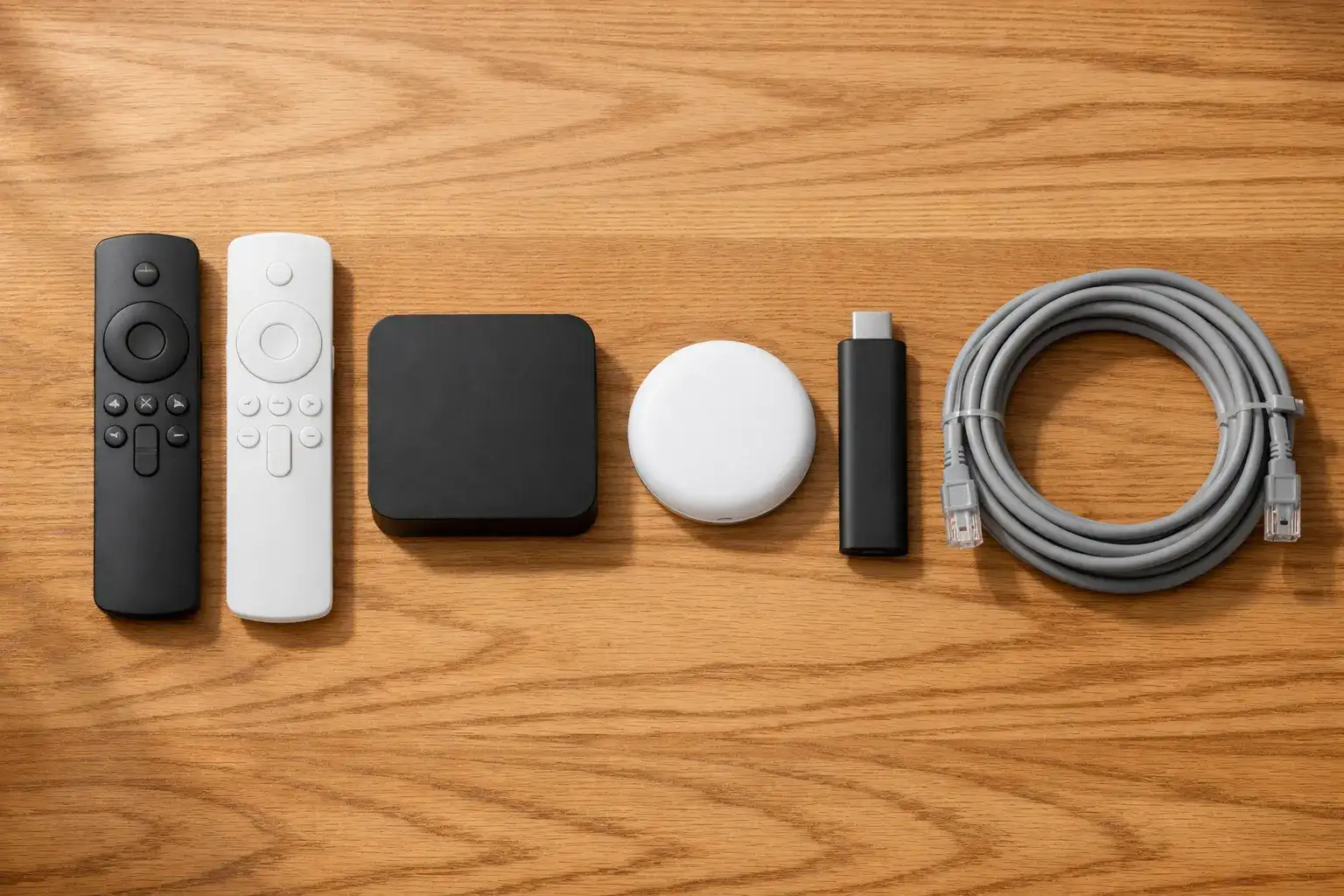
Why Your Streaming Box Matters
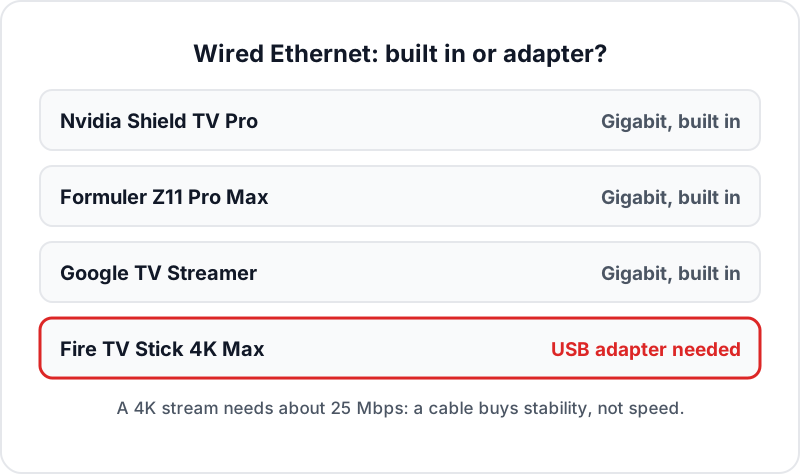
IPTV providers often get blamed for buffering that is actually caused by the playback device. A 4K HEVC stream needs about 25 Mbps of bandwidth and a processor capable of hardware-decoding the H.265 codec in real time. Older Fire Sticks and budget Android boxes frequently fail the second requirement even when the internet connection is perfectly fast.
The result: you call your IPTV provider, they show you their server is fine, and the problem is still there. Upgrading to a capable device — specifically one with hardware H.265 decoding and a stable Ethernet connection — solves the problem instantly.
Each of the four is a strong pick for the best Android box for IPTV because it handles 4K HEVC decode in hardware, works with TiviMate or IPTV Smarters Pro, and is available to buy in the UK. Each one also runs Flickhaven's UK IPTV service through those same apps.
Once the box arrives, our step-by-step IPTV installation guide covers the setup on each platform. If you are also weighing up sticks and Smart TV apps, see the wider IPTV box comparison.
Nvidia Shield TV Pro
£189–£199 · Available at Amazon UK, Currys, John Lewis
The Nvidia Shield TV Pro is the most powerful Android TV box here, and for Nvidia Shield IPTV the setup is as simple as any Play Store device. Originally designed for cloud gaming, it happens to be an exceptional IPTV device — the Tegra X1+ chip (the same processor used in the Nintendo Switch) decodes 4K HEVC in hardware without breaking a sweat. The result is smooth, steady 4K playback.
Technical Specs
- ChipNvidia Tegra X1+ (4-core)
- RAM3 GB LPDDR4
- Storage16 GB eMMC
- EthernetGigabit (built-in)
- Wi-FiWi-Fi 5 (ac) dual-band
- HDRDolby Vision, HDR10, HLG
- AudioDolby Atmos pass-through
IPTV Highlights
- ✓TiviMate, IPTV Smarters Pro, Plex — all from Google Play
- ✓AI upscaling converts HD to near-4K in real time
- ✓Gigabit Ethernet — critical for 4K stream stability
- ✓Decodes 4K HEVC streams in hardware
- ✓USB ports for external storage / Ethernet adapters
- ⚠No Wi-Fi 6 — use Ethernet for 4K
Verdict
The Shield is overkill for casual viewers — but if you are watching 4K sport or running several apps at once, it has the most headroom of the four. The AI upscaling feature alone transforms the quality of HD channels. At £189–£199, it is a one-time purchase that will outlast several Fire Sticks.
Formuler Z11 Pro Max
£149–£165 · Available at Amazon UK, Formuler direct
The Formuler Z11 Pro Max is purpose-built for IPTV — it is not a general-purpose Android box that happens to run IPTV apps. Formuler built their own IPTV interface (MyTVOnline 2) directly into the device, giving a MAG-style portal experience without needing a MAG box. For users who prefer a dedicated IPTV portal rather than a third-party app, the Z11 Pro Max is the natural choice.
Technical Specs
- ChipRealtek RTD1319C (quad-core)
- RAM4 GB DDR4
- Storage32 GB eMMC
- EthernetGigabit (built-in)
- Wi-FiWi-Fi 6 dual-band
- HDRHDR10, HLG
- OSAndroid 11 + MyTVOnline 2
IPTV Highlights
- ✓MyTVOnline 2 portal built-in — MAG-style experience
- ✓4 GB RAM — smooth channel switching, no lag
- ✓32 GB storage — room for recordings
- ✓Google Play Store available — install TiviMate too
- ✓Works with Xtream Codes, M3U, and MAG portal URLs
- ⚠Android 11 — older than the Google TV Streamer's Android 14
Verdict
The Z11 Pro Max is less of a general-purpose device than the Shield, but it is better at the one thing that matters: IPTV. The MyTVOnline 2 interface is faster and more intuitive than any third-party app for portal-based setups. If you are coming from a MAG box or want an IPTV-first experience, this is your device. The 4 GB of RAM keeps channel switching quick, even across 55,000+ channels.
Amazon Fire TV Stick 4K Max
Around £70 RRP, often discounted · Available at Amazon UK
The Fire TV Stick 4K Max is a popular IPTV choice in the UK, and the reason is simple: it covers most of what the Nvidia Shield does for a fraction of the price. It handles 4K HDR streams via TiviMate or IPTV Smarters Pro without issue — as long as you either have a strong Wi-Fi 6E signal or use a wired Ethernet adapter.
Technical Specs
- ChipQuad-core 2.0 GHz
- RAM2 GB
- Storage16 GB
- EthernetVia adapter (sold separately)
- Wi-FiWi-Fi 6E (best in class)
- HDRHDR10, HDR10+, HLG, Dolby Vision
- AudioDolby Atmos pass-through
IPTV Highlights
- ✓Wi-Fi 6E — best wireless 4K streaming performance
- ✓Install TiviMate & IPTV Smarters via sideload (5 min)
- ✓Alexa voice control — search channels hands-free
- ✓4K HDR + Dolby Vision on supported streams
- ✓Amazon ecosystem — easy app management
- ⚠2 GB RAM — not ideal for simultaneous apps
Verdict
The Fire TV Stick 4K Max is the easiest recommendation for most people. At around £70, and often less on sale, it is the cheapest way in — if it does not meet your needs, it has cost you little to find out. IPTV Smarters Pro and TiviMate both work via sideloading in under 5 minutes. For 4K stability, pair it with a £10 Ethernet adapter from Amazon rather than relying on Wi-Fi.
Google TV Streamer
£99 · Available at Google Store, Currys, Amazon UK
The Google TV Streamer (the successor to Chromecast with Google TV) is the best middle ground between a Fire Stick and an Nvidia Shield. At £99, it delivers genuine Android TV flexibility with the full Google Play Store — meaning IPTV app installation is as simple as searching and clicking Install, no sideloading required. The same applies to Walmart's cheaper onn boxes, which also run Google TV; see setting TiviMate up on the onn box.
Technical Specs
- ChipNot published by Google
- RAM4 GB LPDDR4
- Storage32 GB eMMC
- EthernetGigabit (built-in)
- Wi-FiWi-Fi 5 (ac) dual-band
- HDRHDR10, HDR10+, Dolby Vision, HLG
- OSGoogle TV (Android 14)
IPTV Highlights
- ✓Full Google Play Store — install TiviMate & Smarters directly
- ✓4 GB RAM — smooth multitasking
- ✓32 GB storage — more than enough
- ✓Google Assistant built in — voice channel control
- ✓Native Google TV home screen — content recommendations
- ✓Gigabit Ethernet built in — no adapter needed
- ⚠Wi-Fi 5, not Wi-Fi 6 — use the Ethernet port for 4K
Verdict
The Google TV Streamer is the simplest device to set up for IPTV — open the Play Store, search TiviMate, install, log in with your Flickhaven credentials, done. The 4 GB of RAM and Google TV interface make it noticeably more capable than the Fire Stick 4K Max. For anyone deep in the Google ecosystem (Android phone, Google Home, YouTube Premium), this is the natural choice.
Full Comparison Table
| Device | Chip | RAM | Storage | Ethernet | 4K | Price | Best For |
|---|---|---|---|---|---|---|---|
| Nvidia Shield TV Pro | Tegra X1+ | 3 GB | 16 GB | Gigabit | ✓ | £189–£199 | Best overall / 4K sport |
| Formuler Z11 Pro Max | Realtek RTD1319C | 4 GB | 32 GB | Gigabit | ✓ | £149–£165 | Dedicated IPTV / portal |
| Fire TV Stick 4K Max | Quad 2.0 GHz | 2 GB | 16 GB | Via adapter | ✓ | ~£70 RRP | Best value / budget |
| Google TV Streamer | Not published | 4 GB | 32 GB | Gigabit | ✓ | £99 | Google ecosystem |
How to Install TiviMate on Each Device
Fire TV Stick 4K Max — Sideload
- Go to Settings → My Fire TV → Developer Options
- Enable Apps from Unknown Sources
- Install Downloader from the Amazon App Store
- Open Downloader, enter the TiviMate APK URL (provided by Flickhaven)
- Install TiviMate, open it, select Xtream Codes API
- Enter your Flickhaven Server URL, Username, and Password
Nvidia Shield TV Pro — Google Play
- Open the Google Play Store on your Shield
- Search for TiviMate IPTV Player
- Click Install — no sideloading required
- Open TiviMate, select Xtream Codes API
- Enter your Flickhaven credentials and tap Add playlist
- All 55,000+ channels load automatically
Google TV Streamer — Google Play
- Open the Google Play Store on your Google TV Streamer
- Search for TiviMate or IPTV Smarters Pro
- Click Install — both apps are in the Play Store
- Open TiviMate, select Xtream Codes API
- Enter your Server URL, Username, and Password
- Your channel list loads — tap Live TV to start watching
Formuler Z11 Pro Max — MyTVOnline 2
- Open MyTVOnline 2 (pre-installed on the Z11)
- Select Add Portal (for portal-based IPTV)
- Or open Google Play Store and install TiviMate
- For TiviMate: select Xtream Codes API, enter credentials
- For MyTVOnline 2: enter your Xtream Codes server URL
- All channels load automatically within a minute
Which Is the Best Android Box for IPTV for You?
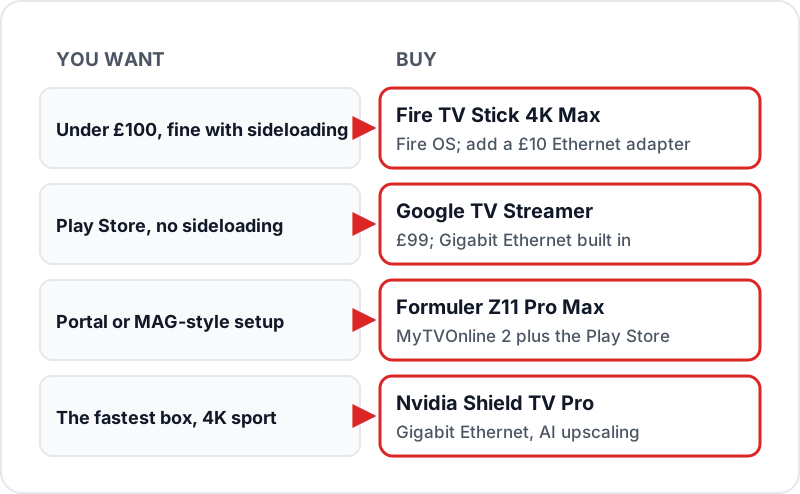
If you…
Budget under £100
⟶ Amazon Fire TV Stick 4K Max
At around £70 RRP, and often discounted, nothing comes close for the price. Wi-Fi 6E and 4K HDR support make it a capable IPTV device for most households. Add a £10 Ethernet adapter for maximum stability.
If you…
Want the best dedicated IPTV portal
⟶ Formuler Z11 Pro Max
MyTVOnline 2 gives a MAG-style portal interface without a MAG box. 4 GB RAM and 32 GB storage make it the most capable IPTV-focused device at its price point.
If you…
Want the absolute best streaming experience
⟶ Nvidia Shield TV Pro
None of the other three matches the Shield for raw performance. Gigabit Ethernet, AI upscaling, Dolby Vision, and Dolby Atmos make it the definitive IPTV box for serious viewers.
If you…
Already in the Google ecosystem
⟶ Google TV Streamer
The easiest IPTV setup here — full Google Play Store, 4 GB RAM, Gigabit Ethernet and the Google TV interface. A natural fit if you use an Android phone or Google Home.
Related Guides
Frequently Asked Questions
What is the best Android TV box for IPTV in the UK?+
What is the best cheap Android box for IPTV?+
What is the best IPTV app for Nvidia Shield?+
Do I need Gigabit Ethernet for IPTV?+
Can I use TiviMate on Nvidia Shield?+
Is Fire TV Stick good enough for 4K IPTV?+
What's the difference between Fire TV Stick and an Android TV box?+
Does the Formuler Z11 work with any IPTV provider?+
Test Flickhaven Free on Any of These Devices
55,000+ live channels, 180,000+ VOD, live sport and 4K UHD — from £15.00/month. Get a free 24-hour trial via WhatsApp.
Start Free Trial via WhatsAppNo card required · Works on all 4 devices above