Flickhaven IPTV UK
How to Run an IPTV Free Trial on a Smart TV
Most recent Samsung, LG, Android TV and Google TV sets can run an IPTV free trial, because their own app stores carry a player that accepts the login. Samsung and LG sets get Smart IPTV from their stores, and Android TV and Google TV sets such as Sony and TCL get TiviMate or Smart IPTV from Google Play. Install the player first, then ask for the free 24-hour trial on WhatsApp: no card, one device at a time. If the store has no player, use a streaming stick.
Which TVs can take the trial, system by system
The software the TV runs decides it, not the brand on the front. A trial login is a server address, a username and a password, and it needs a player app to open it, so the question is whether the TV's own store offers one. Find the system in the settings menu, under “About” or “Software information”, first.
Most UK sets fall into five groups: Samsung (Tizen), LG (webOS), Android TV or Google TV (Sony, TCL, many Philips and Hisense models), Fire TV built in (much of Panasonic's recent range), and systems with few players: Hisense's VIDAA, Philips' newer Titan OS sets and older TVs whose store no longer gets updates.
The first four can usually run a trial with nothing plugged in; the last group usually needs a streaming stick. Not sure which yours is? Our device compatibility guide lists each brand with its own setup page.
Player apps in each TV's store today
From the developers' own pages and UK Google Play, checked 28 November 2026. Line-ups change by model and country, so search your own TV's store. None of these apps includes channels; each plays the login you give it.
| TV system | Where the player comes from |
|---|---|
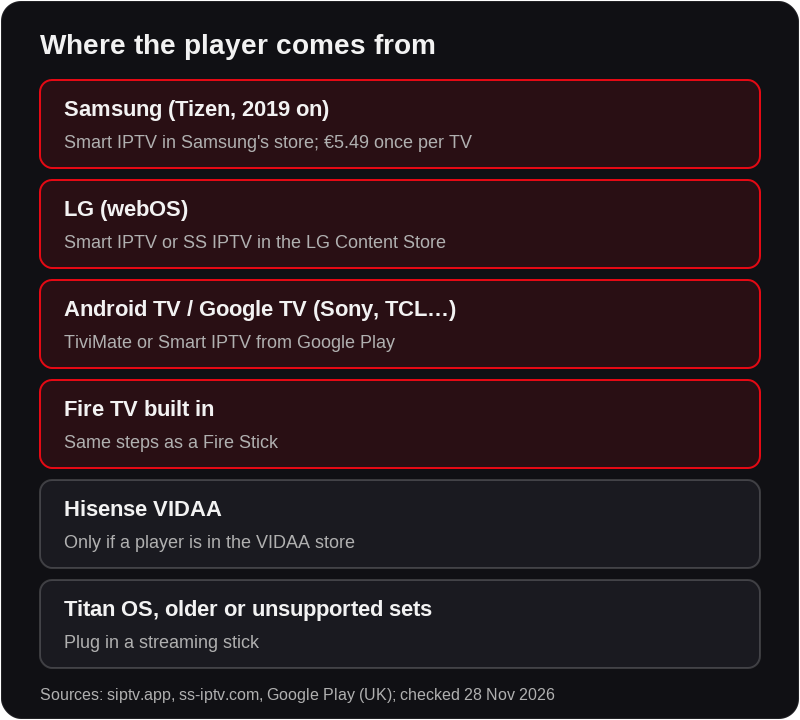
| Samsung (Tizen, 2019 on) | Smart IPTV in Samsung's store; €5.49 once per TV |
| LG (webOS) | Smart IPTV or SS IPTV in the LG Content Store |
| Android TV, Google TV | TiviMate or Smart IPTV on Google Play |
| Fire TV built in | As on a Fire Stick |
| Hisense VIDAA | Only if a player is in the VIDAA store |
| Titan OS, older sets | A streaming stick |
Samsung. The Smart IPTV developer lists its app in Samsung's store for Tizen TVs from 2019, with a USB install for 2015 to 2018 sets. Activation is a one-time 5.49 EUR per TV, paid on the developer's activation page, which warns not to pay until you have something to watch. SS IPTV is not in Samsung's store. Our Samsung TV setup guide covers each model year.
LG. Smart IPTV is in the LG Content Store, according to its LG install page, and SS IPTV says it installs from LG's store in any country. Whether IPTV Smarters is listed depends on the set and region (see Smarters on LG televisions); the LG webOS setup guide walks through the others.
Android TV and Google TV. The widest choice. On UK Google Play, TiviMate is listed for TV with in-app purchases, and its listing says a premium upgrade unlocks app features only, never content. Smart IPTV is there too, free to try at first and then activated by in-app purchase, as its Android install notes explain. The Android TV setup guide covers the install screen by screen.
Fire TV built in, VIDAA and the rest. A TV with Fire TV built in installs a player the way a Fire Stick does, if its settings offer apps from unknown sources; the Panasonic TV guide shows it on a set. On VIDAA, the Hisense TV guide lists what the player developers say, and the Philips TV guide covers Titan OS.
The order that saves your 24 hours
A trial lasts 24 hours, so do the slow part first: installing and activating a player on a TV takes a while when you type with the remote.
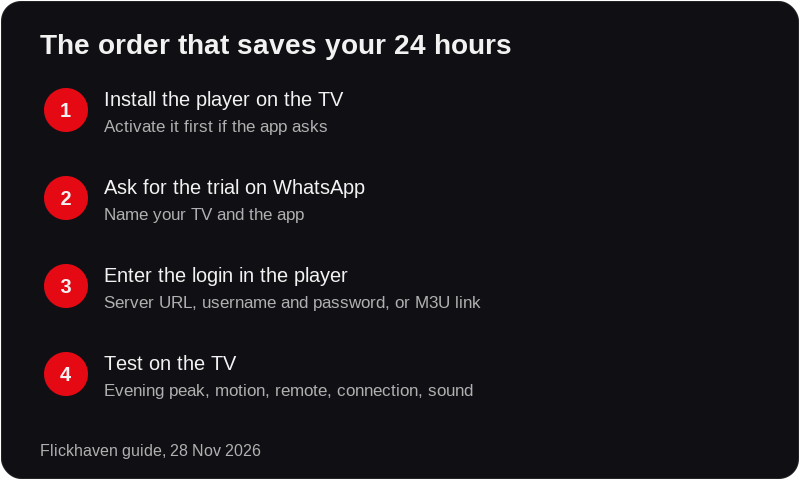
- Install the player from your TV's store. If the app asks for activation, decide whether to pay that one-off fee now or test on another route first.
- Ask for the trial on WhatsApp and say which TV and which app you have. If your app takes only an M3U link, say so.
- Enter the server URL, username and password (or the link) exactly as sent, with no extra spaces.
- Test on the TV between 7pm and 10pm, when servers are busiest. The checks are in the next section.
Smart IPTV is the one exception to typing a login on the TV. It shows the TV's MAC address on screen, and you upload the playlist link against that address on the developer's website from a phone or laptop. Our SIPTV setup and playlist upload guide shows every step.
Flickhaven's free 24-hour trial with no card needed is the full paid service, the same channels, on-demand library and 4K streams as every plan. It streams on one device at a time and there is one trial per household, so test on the TV you watch most before anything else.
What to check on the TV itself
A phone test shows the service works; a TV test shows it works where you watch. These five checks are about the set, not the channel list.
Picture mode and motion. Many TVs add motion smoothing by default, which can make live football look smeary or give films a “soap opera” look. Each maker names it differently; find it in the picture settings and compare it off and on during a live match. Try a standard and a film-style mode too, as a vivid shop-floor mode can hide detail in dark scenes.
Frame rate. UK channels are broadcast at 50 frames or fields a second. Watch a slow sideways pan, such as a camera following play across a pitch. If it judders steadily, look in the player's settings: on Android TV some players can match the TV's refresh rate to the stream.
The remote. Change channel ten times in a row, open the TV guide and jump back a day in catch-up. If the app lags behind the remote, a different player may suit you better.
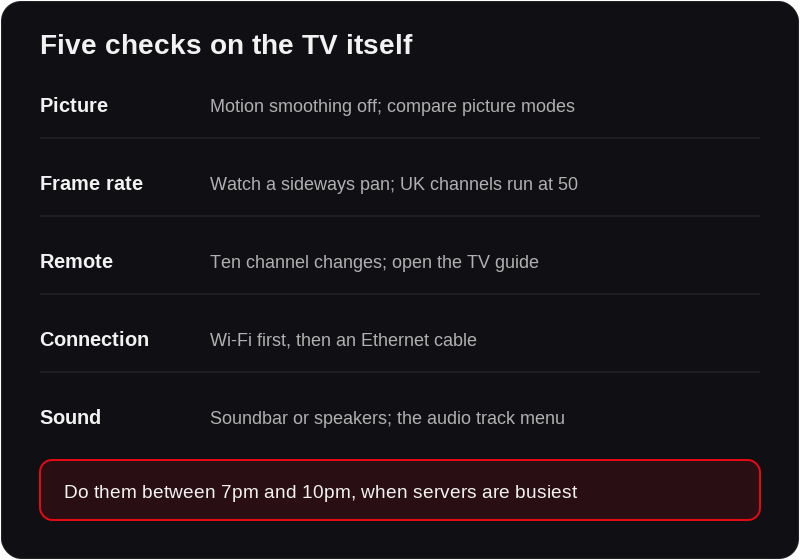
Wi-Fi against a cable. A TV usually sits far from the router. Test on Wi-Fi, then with an Ethernet cable if the TV has a port, on the same channel at the same hour. If the cable fixes buffering, the Wi-Fi is the weak point. Our guide to the internet speed IPTV needs gives the figures for HD and 4K.
Sound. If a soundbar is connected, check that live channels play through it, and that the player's audio track menu offers the language you want. If speech drifts from lips, set the delay in the player or TV first. Keep a note of anything that fails, with the time, so support can look at the same channel at the same hour.
When a streaming stick is the easier route
If the store has no player that takes a login, the app wants a fee you would rather not pay before testing, or the TV's software is old and slow, plug in a stick and run the trial there. The TV becomes the screen, and every check above still applies.
A Fire TV Stick that runs Fire OS is the cheapest option; our Fire Stick setup guide explains which models still allow apps from unknown sources. Once the player is ready, start the trial from the Flickhaven trial page, and if a step on your TV does not match what you see, support answers on WhatsApp 24/7.
Sources
- Smart IPTV — Samsung install
- Smart IPTV — LG install
- Smart IPTV — Android TV install
- Smart IPTV — activation fee
- SS IPTV — installing the app
- Google Play (UK) — TiviMate IPTV Player
- Google Play (UK) — Smart IPTV
Checked on .
Player installed? Ask for the trial
Message Flickhaven on WhatsApp for the free 24-hour trial: no card needed, one device at a time, the full paid service. Support runs 24/7.
No credit card · No contract · Instant activation
See also: Free IPTV Trial: How It Works · IPTV Device Compatibility · How to Test an IPTV Service.