Flickhaven IPTV UK
What Internet Speed Do I Need for IPTV in the UK? Mbps for HD and 4K
The internet speed for IPTV in the UK is 10 Mbps for HD, 15 Mbps for Full HD and 25 Mbps for 4K, per simultaneous stream, with headroom already included for live-broadcast bitrate spikes. Add the streams together, then add 5 to 25 Mbps for everything else in the house. Most UK fibre and cable packages clear those figures. When a fast line still buffers, the cause is jitter above about 30 ms, a weak Wi-Fi link to the television or evening contention, not bandwidth.
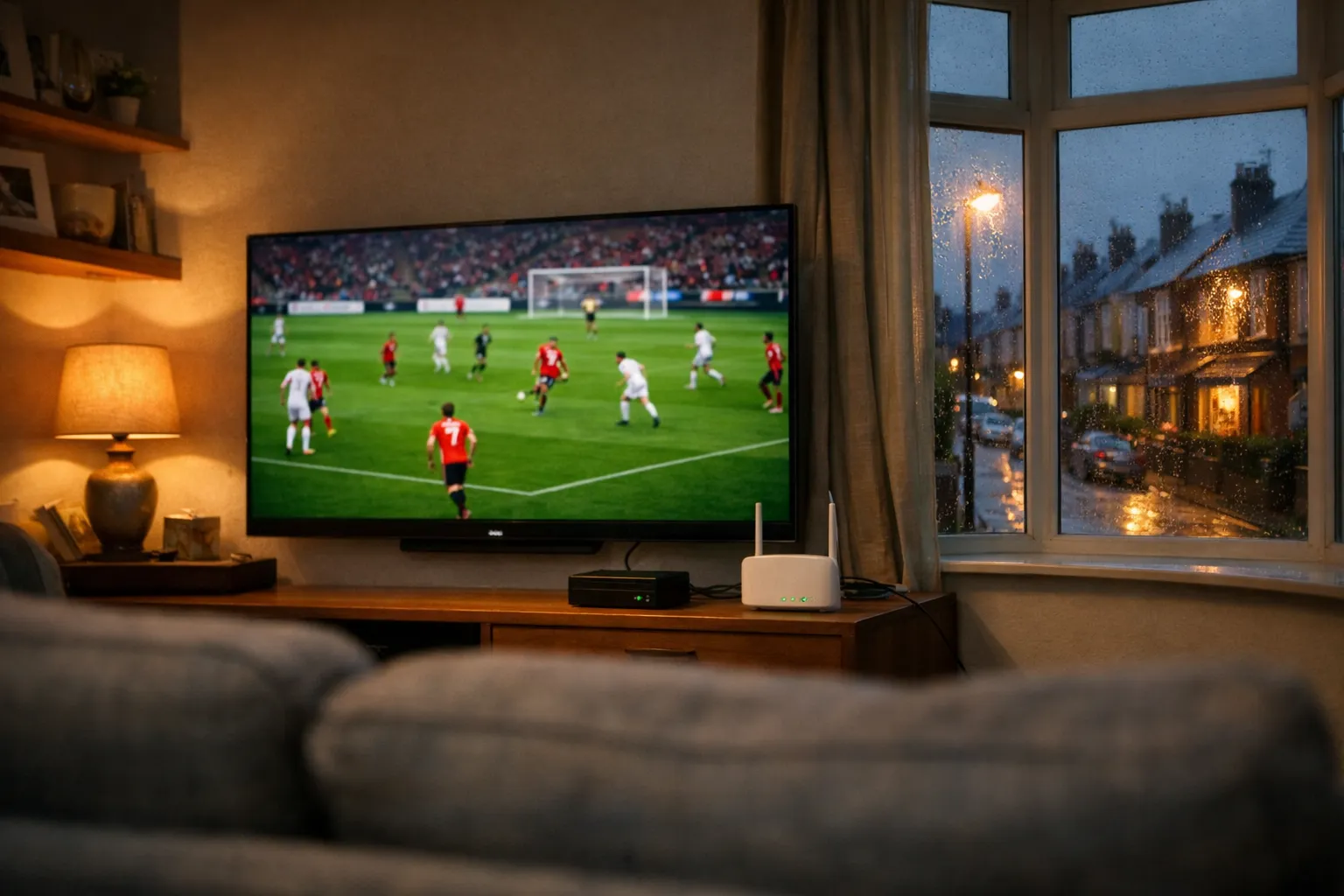
The internet speed for IPTV in the UK is 10 Mbps for HD, 15 Mbps for Full HD and 25 Mbps for 4K, for each stream playing at the same time.
Nearly every full fibre, cable and part-fibre package clears the 4K figure, so bandwidth is rarely why IPTV buffers on a British line; jitter, the Wi-Fi link and evening contention are. If you would rather test than read, message us on WhatsApp for a free 24-hour trial and run real channels on your own connection tonight.
Minimum internet speed for IPTV in the UK
You need 10 Mbps for each HD stream, 15 Mbps for each Full HD stream and 25 Mbps for each 4K stream, delivered to the streaming device during the evening peak. A 4K channel typically consumes 15 to 20 Mbps and the remainder absorbs the spikes of live video.
Internet speed, in this context, means download throughput: how many megabits per second (Mbps) the line can carry from the server to your television. IPTV delivers each channel as a continuous stream the connection must carry without interruption. Our guide to how IPTV works explains the delivery chain. Ofcom's “decent” broadband minimum of 10 Mbps is exactly one HD stream, and anything sold as fibre is well above it, which is why an IPTV UK subscription works on almost any modern line.
Three numbers describe a connection. Download speed decides whether the stream fits. Jitter, the variation in how regularly packets arrive, decides whether playback is smooth. Latency under about 100 ms is fine, because a player buffers a few seconds ahead. Upload speed barely matters.
Why internet speed for IPTV matters more for live TV
A live channel only exists a few seconds before you see it, so any dip in throughput longer than the player buffer shows on screen as a freeze; on-demand video can load minutes ahead and ride out a slow patch. Sport is the demanding case, sent at 50 frames per second with far more motion than a studio programme. Even so, you do not need gigabit broadband for IPTV, and buying it will not stop buffering. A single 4K stream cannot use more than about 30 Mbps; stability comes from the type of line and the link inside your home.
IPTV speed needed by picture quality: SD, HD, Full HD and 4K
Each step up in picture quality roughly doubles the speed required.
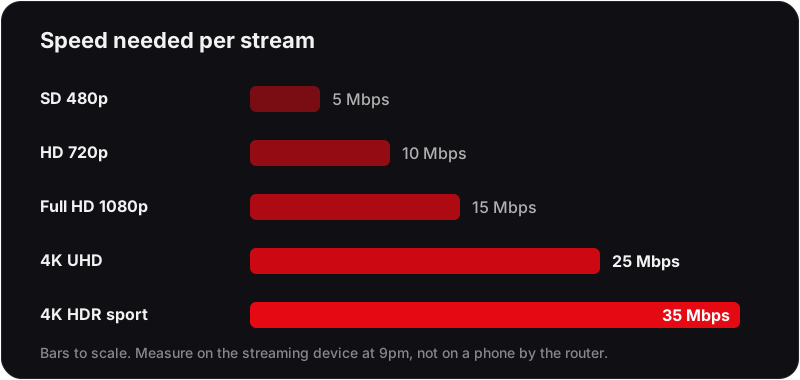
| Quality | Resolution | Stream uses | Speed we recommend | Data per hour |
|---|---|---|---|---|
| SD | 480p | 2–4 Mbps | 5 Mbps | ~0.7 GB |
| HD | 720p | 5–8 Mbps | 10 Mbps | ~1.5 GB |
| Full HD | 1080p | 8–12 Mbps | 15 Mbps | ~3 GB |
| 4K UHD | 2160p | 15–20 Mbps | 25 Mbps | ~7 GB |
| 4K HDR, 50fps sport | 2160p | 20–30 Mbps | 35 Mbps | ~9 GB |
The codec matters too: H.265/HEVC delivers the same picture as H.264 at roughly half the bitrate, which is how a 4K channel fits in 15 to 20 Mbps.
If sport is the reason you are subscribing, budget for the bottom row. Our guide to 4K IPTV in the UK covers which devices and televisions make full use of an Ultra HD stream.
No card · No commitment
How much speed does a whole household need?
Add the figure for every stream that plays at the same time, then add 5 to 25 Mbps for phones, laptops, consoles and backups.
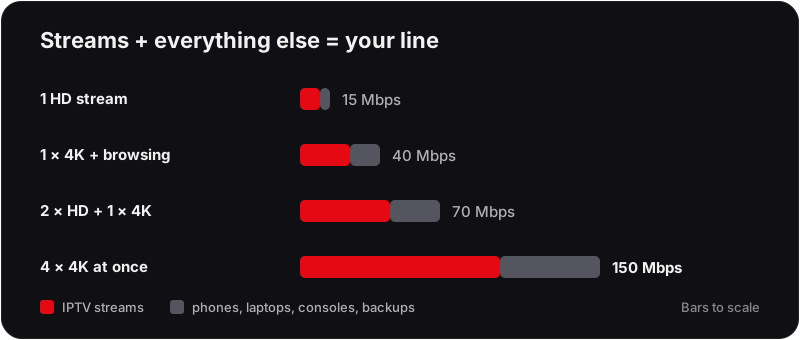
| Household | Streams | Everything else | Line should deliver |
|---|---|---|---|
| One person, one HD stream | 10 Mbps | 5 Mbps | 15 Mbps |
| Couple, one 4K stream plus browsing | 25 Mbps | 15 Mbps | 40 Mbps |
| Family, two HD streams plus one 4K | 45 Mbps | 25 Mbps | 70 Mbps |
| Four 4K streams at once | 100 Mbps | 50 Mbps | 150 Mbps |
Your broadband decides how many streams the line can carry. Your plan decides how many devices may connect at once. The two limits are independent, and reaching the plan limit produces a login error, not buffering. See IPTV on multiple devices for how connection counts work.
Best broadband for IPTV in the UK: which line types handle it
Full fibre and cable handle any IPTV household with room to spare; part-fibre carries HD comfortably and 4K when it holds 30 Mbps in the evening.
| Connection | Typical speed | Good for | Watch out for |
|---|---|---|---|
| Part-fibre (FTTC / VDSL) | Roughly 35–70 Mbps, falling with distance from the cabinet | One or two HD streams; 4K when the line holds 30 Mbps in the evening | Test at 9pm |
| Cable (DOCSIS) | From roughly 100 Mbps to 1 Gbps | Any realistic IPTV household | Evening contention in dense streets |
| Full fibre (FTTP) | From roughly 100 Mbps to 1 Gbps | The best case: steady throughput and low jitter | Nothing for IPTV |
| 4G / 5G home broadband | Highly variable, often 20–200 Mbps | HD and Full HD; 4K when the signal is strong | Jitter, peak-time slowdowns and data caps |
| Copper ADSL | Usually under 15 Mbps | One SD or HD stream at a time | No headroom. Skip 4K and wire the device |
For IPTV a 150 Mbps package and a 1 Gbps package give the same picture; choose on router quality, support and contract terms.
How to test your internet speed for IPTV
Test on the streaming device, at 9pm on a weekday, and record jitter as well as download speed.
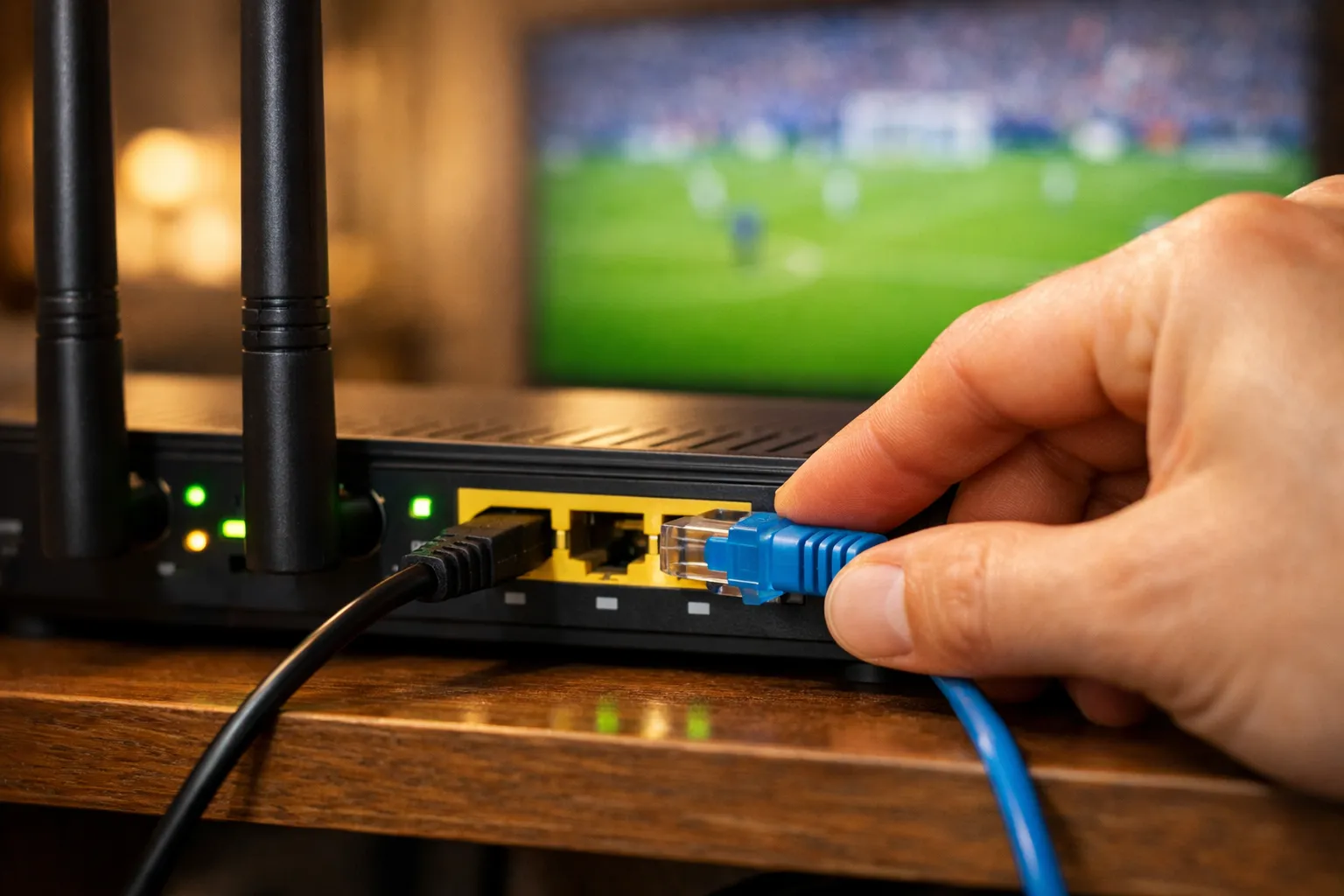
- 1.Test on the streaming device itself. Install a speed-test app on the stick, box or smart TV, or open a speed-test site in its browser. Its result is often less than half what a phone shows beside the router.
- 2.Test at 9pm on a weekday, three times. UK broadband slows when the street is streaming. Run the test three times, ten minutes apart; a result that swings between 60 Mbps and 12 Mbps explains buffering that comes and goes.
- 3.Write down jitter and ping as well as Mbps. Consistent jitter under 30 ms is comfortable; ping under 100 ms is fine for television.
- 4.Run the test wired, then on Wi-Fi. The gap between the wired and Wi-Fi results is exactly what the Wi-Fi link is costing you.
- 5.Compare the result with what your address should get. Enter your postcode in the Ofcom broadband checker to see the speeds available at your address. A line that delivers far less than its package promises is a fault to raise with the provider.
- 6.Run a real stream at peak time. Play a 4K sports channel on your television at 9pm for twenty minutes and watch for stutter. A free trial lets you do this before you pay for anything.
Three changes get more out of the line you already have: run Ethernet to the main television (every streaming device has a port or accepts an adapter; our guide to IPTV on a Firestick covers the setup), give the 2.4GHz and 5GHz bands separate names and join the television to 5GHz, and raise the player buffer in TiviMate or IPTV Smarters Pro.
For a wider checklist that covers the channel list, the EPG and support as well as the connection, see how to test an IPTV service in 15 minutes.
24 hours · Works on Firestick, Android TV, Apple TV and smart TVs
How much data does IPTV use?
IPTV uses about 1.5 GB per hour in HD, 3 GB per hour in Full HD and 7 GB per hour in 4K. On unlimited home broadband that does not matter; on a capped mobile or 5G plan it decides what quality you can afford.
| Quality | Per hour | 2 hours a day, per month | 4 hours a day, per month |
|---|---|---|---|
| HD (720p) | ~1.5 GB | ~90 GB | ~180 GB |
| Full HD (1080p) | ~3 GB | ~180 GB | ~360 GB |
| 4K UHD | ~7 GB | ~420 GB | ~840 GB |
The monthly figures are per screen. On a capped plan, choose the HD version of a channel: the data saving is half or more.
Troubleshooting: a fast line that still buffers
When the speed is enough on paper and the picture still stutters, match the symptom below to its cause before changing anything.
The picture stutters every evening but is fine at lunchtime
Cause: Evening contention: the line slows when the neighbourhood is online.
Fix: If the 9pm speed on the streaming device is below the figure for your picture quality, step down one quality level for live sport, wire the television, and pause large downloads.
The speed test is fast, yet channels still freeze
Cause: Jitter or packet loss on the Wi-Fi link between the router and the television.
Fix: Run Ethernet to the television or box. If a cable is impossible, join the device to the 5GHz band by name and move the router out of the cupboard.
One channel buffers while the others play
Cause: The source of that channel, not your line.
Fix: Try the HD or Full HD version of the same channel, then report the channel to support. No broadband upgrade changes this.
4K buffers but Full HD is smooth
Cause: The device or the Wi-Fi link is at its ceiling: older sticks and televisions struggle to decode 4K HEVC, and 2.4GHz Wi-Fi rarely holds 25 Mbps.
Fix: Check that the device supports 4K HEVC decoding, wire it, and raise the buffer size in the player. In TiviMate this is under Settings, then Playback.
Everything buffers until a VPN is switched on, or only while it is on
Cause: If a VPN fixes it, the provider is managing streaming traffic at peak time. If a VPN causes it, the VPN server is too slow or too far away.
Fix: Pick a nearby UK server and a fast protocol such as WireGuard, or switch the VPN off to compare.
Work through them in that order, because the first two account for most cases. The step-by-step versions are in our IPTV buffering fixes, and faults that are not about speed at all, such as login errors or a missing guide, are in our fault-finding hub for every IPTV problem. On the last row, our guide to choosing a VPN for IPTV explains when one helps and when it makes things worse.
Tell us your broadband type and device — we will say what to expect
UK channels abroad and at home
British viewers abroad need no more speed than at home; distance adds a little latency, which a player buffer hides, and the real risks are shared Wi-Fi and capped connections. Our guide to watching UK channels abroad covers the options and their limits.
At home, the terrestrial channels are the least demanding: 10 to 15 Mbps per screen covers an evening of BBC One or ITV1. Questions about plans, devices and setup that are not about speed are answered in the IPTV FAQ, and the free 24-hour IPTV trial page explains what the trial includes.
Internet speed for IPTV UK — FAQ
What internet speed do I need for IPTV in the UK?+
10 Mbps per HD stream, 15 Mbps per Full HD stream and 25 Mbps per 4K stream, measured on the streaming device at peak time. One 4K stream plus normal browsing is comfortable on about 40 Mbps in the evening.
How much bandwidth does IPTV use?+
Each stream uses about 2–4 Mbps in SD, 5–8 Mbps in HD, 8–12 Mbps in Full HD and 15–20 Mbps in 4K, which works out at roughly 1.5 GB an hour in HD, 3 GB in Full HD and 7 GB in 4K. Add the figures for every stream playing at once.
Is 10 Mbps enough for IPTV?+
For one HD stream, yes, if the line delivers it at 9pm. It is not enough for 4K, and it is marginal when a second device streams at the same time.
Why does IPTV buffer when my speed test says the connection is fast?+
A speed test measures peak throughput for a few seconds to a nearby server. Live IPTV needs steady throughput for hours, with low jitter, on the device that is actually playing; a weak Wi-Fi link or an old router breaks that.
Is Ethernet better than Wi-Fi for IPTV?+
Yes. Ethernet gives constant throughput and almost no jitter, while Wi-Fi throughput moves with distance, walls and interference. If a channel buffers on Wi-Fi and plays cleanly on a cable, the broadband line was never the problem.
Conclusion: the Mbps you need
Most UK lines clear 10 Mbps for HD, 15 Mbps for Full HD and 25 Mbps for 4K per stream. When a channel still buffers, fix the cable first, then the router, and upgrade the broadband package only when a 9pm test on the wired television shows the line itself falling short.
When the line is ready, see the Flickhaven plans and pricing, which start at £15.00 for one month with no contract.
About the author
This guide is by Ryan Fernandez, PhD, and is maintained with the Flickhaven editorial team, who write the setup and troubleshooting guides for our UK IPTV service and answer the support questions behind them. We update each guide when the facts change; the date under the title is the last real edit.
Find out on your own line tonight
A free 24-hour Flickhaven trial runs real channels over your broadband, at your peak hour, on your television.
No credit card · No contract · Instant activation