Flickhaven IPTV UK
IPTV vs Freeview UK 2026 — Full Comparison
Freeview is free, needs only an aerial, and carries around 70 standard channels with no internet connection required. IPTV costs a monthly fee and needs broadband, but carries far more channels including premium sport, international feeds and an on-demand library. The real decision is what you watch: for terrestrial television Freeview is sufficient and cheaper, and for live sport or non-UK channels it simply does not carry them. This page compares both properly.
Short answer: IPTV wins on almost every metric except cost.
Freeview is completely free but limited to ~70 channels. IPTV starts from £15.00/month but offers 55,000+ channels, 4K content, on-demand libraries, and works on any device with a broadband connection. New to IPTV? Our IPTV explained for UK viewers explains the technology from the ground up.
What Is Freeview?
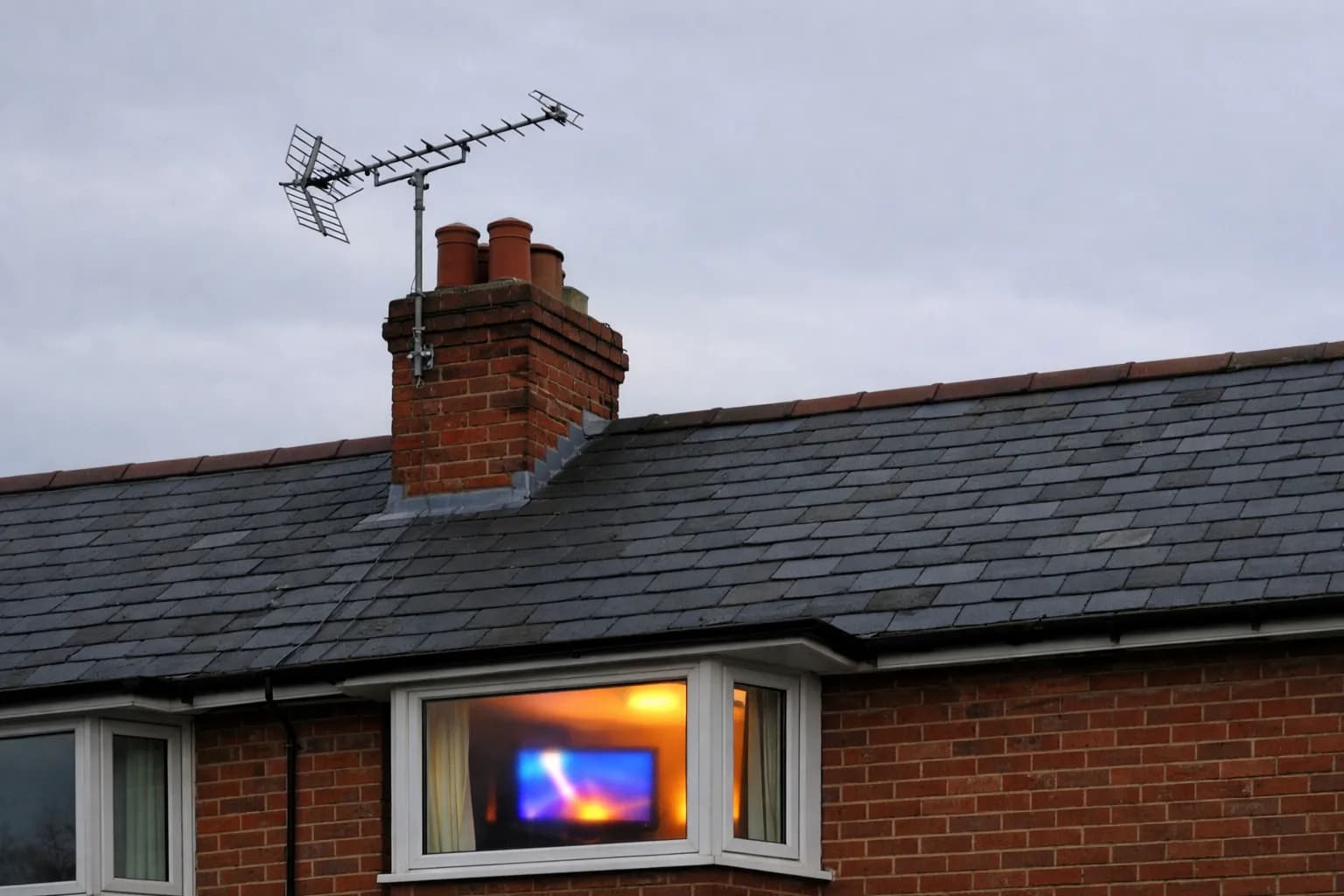
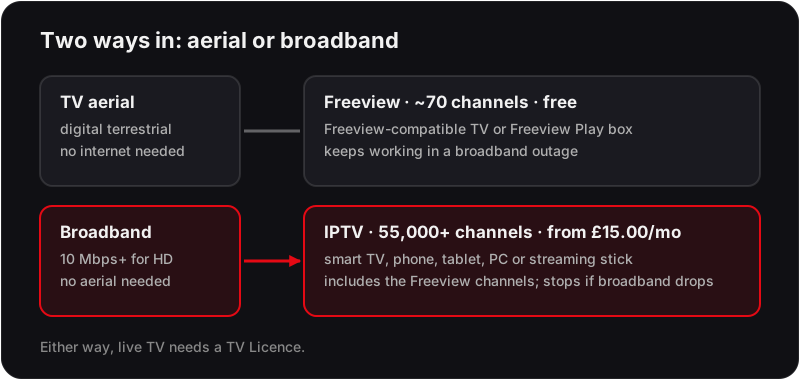
Freeview is the UK's free digital terrestrial television (DTT) platform. It delivers around 70 TV channels and 25 radio stations via a TV aerial signal — completely free, with no subscription required (though you still need a TV Licence to watch live TV).
Freeview channels include BBC One, BBC Two, ITV, Channel 4, Channel 5, and dozens of other free-to-air channels. It is available on any Freeview-compatible TV or through a Freeview Play box, which also adds catch-up services.
What Is IPTV?
IPTV (Internet Protocol Television) is digital TV delivered over your broadband internet connection rather than through a TV aerial or satellite dish, with live channels and on-demand content in one app. That is how our UK IPTV service reaches your screen.
A premium IPTV subscription like Flickhaven provides access to 55,000+ live channels — including all the free-to-air Freeview channels, premium live sports channels, all premium entertainment channels, and international content from 100+ countries.
IPTV vs Freeview — Head to Head
| Feature | IPTV (Flickhaven) | Freeview |
|---|---|---|
| Monthly cost | From £15.00 | Free |
| Number of channels | 55,000+ | ~70 TV channels |
| Sports channels | Premium live sports channels, UK and international | No live sports |
| Premium entertainment | Premium entertainment channels | Not included |
| On-demand library | 180,000+ titles | Catch-up only (iPlayer, ITVX etc.) |
| 4K content | Available | Not available |
| Internet required | Yes (10+ Mbps) | No |
| TV aerial required | No | Yes |
| Device compatibility | Smart TV, phone, tablet, PC, streaming stick | Freeview-compatible TV only |
| Installation | Instant — download app | Requires aerial setup |
| Recording | Cloud DVR (via app) | Limited (Freeview Play) |
When to Choose Freeview vs IPTV
Choose Freeview if you...
- →Only watch BBC, ITV, Channel 4, Channel 5
- →Have no or very slow broadband
- →Want zero monthly cost
- →Only watch occasional TV
- →Don't watch sports or premium drama
Choose IPTV if you...
- ✓Want premium live sports channels
- ✓Watch shows on premium entertainment channels or international networks
- ✓Want content on any device (phone, tablet, PC)
- ✓Watch TV when travelling or abroad
- ✓Want a large on-demand library
Picture Quality and Reliability — What Actually Differs
Freeview's picture depends on the aerial. A good rooftop aerial gives a steady HD picture on the main channels and standard definition on most of the rest; a loft or indoor aerial can break up in bad weather or drop channels after a retune. Nothing you do on the TV changes that — the signal is what it is.
IPTV's picture depends on broadband. With enough headroom, HD and 4K streams look sharper than the equivalent Freeview channel, because they are not squeezed into a terrestrial multiplex. With too little headroom, or a congested Wi-Fi band, you get stutter instead of snow. The practical difference is that IPTV problems are usually fixable at home — a wired connection, the 5 GHz band or a larger buffer — whereas Freeview problems usually need an aerial fitter.
What Switching Actually Involves
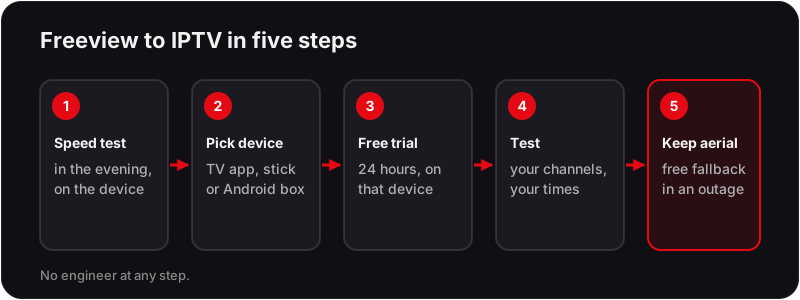
Moving from Freeview to IPTV is five steps, none of which need an engineer. Our guide to the internet speed you need for IPTV in the UK explains what the speed-test numbers mean for HD and 4K.
Cost Over a Year
Freeview is free to receive. The one cost that applies to both platforms is the TV Licence, which covers live TV however it arrives and is not affected by the choice between aerial and broadband.
Flickhaven's plans are prepaid: £15.00 for 1 month, £25.00 for 3, £35.00 for 6 and £55.00 for 12 months plus 2 free, which is 14 months at an effective £3.93 a month. There is no contract and no auto-renewal, so the yearly figure is the plan price and nothing else. Our breakdown of how much IPTV costs in the UK sets those figures against the pay-TV alternatives.
What to Test During the Free 24-Hour Trial
The trial runs on the same servers as a paid plan, so use it to test the things that depend on your home rather than the service.
- ✓Open the five main UK channels in HD and compare the picture with the same channels on Freeview.
- ✓Play one of the 4K Ultra HD streams included on the plan to see whether your connection holds it.
- ✓Watch during the evening peak, when your broadband and your neighbours' are busiest.
- ✓Check the EPG matches what is on screen, then try the 7-day catch-up on a programme from earlier in the week.
Can You Have Both IPTV and Freeview?
Yes — and many UK households do exactly this. Freeview provides reliable free channels on the main TV, while IPTV is used on other devices (bedroom TV, phone, tablet) for premium content.
However, most people who switch to IPTV find that it fully replaces Freeview — since all Freeview channels (BBC One, ITV, Channel 4, etc.) are included in IPTV. There is no need to maintain a TV aerial. If a satellite dish is the other thing you are thinking of dropping, our guide to cancelling satellite TV in the UK covers notice periods and exit charges.
Frequently Asked Questions
Is IPTV better than Freeview?
For most viewers, yes. IPTV offers significantly more channels (55,000+ vs ~70 on Freeview), better quality (4K vs standard HD), on-demand content, and works on any internet-connected device. However, Freeview is completely free and doesn't require broadband.
Can I replace Freeview with IPTV?
Yes. An IPTV subscription includes all Freeview channels (BBC One, ITV, Channel 4, Channel 5, etc.) plus tens of thousands of additional channels. Most households find IPTV fully replaces Freeview.
Does IPTV require a TV aerial?
No. IPTV works entirely over your broadband internet connection. No aerial, no satellite dish, and no installation engineer required.
Which Freeview channels are available on IPTV?
Flickhaven IPTV includes all BBC channels — BBC One, BBC Two, BBC Three, BBC Four, BBC News, CBBC, CBeebies — as well as all ITV, Channel 4, and Channel 5 channels.
How much internet speed do I need for IPTV?
For standard HD IPTV: at least 10 Mbps. For 4K streaming: 25–30 Mbps recommended. Most UK broadband packages comfortably exceed these requirements.
Is Freeview being switched off in the UK?
The UK government's Digital Radio and Switchover plan does not include switching off Freeview in the near term. However, Freeview's future is uncertain as more viewers move to internet-delivered TV. No switch-off date has been announced.
Do you need a TV Licence for IPTV?
Yes. The UK TV Licence covers watching or recording live TV on any platform, and using BBC iPlayer, regardless of whether the signal arrives by aerial or broadband. Switching from Freeview to IPTV does not change that.
Can I use IPTV on an older TV that is not a Smart TV?
Yes. Plug a streaming stick or an Android TV box into any HDMI port and install the IPTV app on that. The TV only needs to display the picture; the stick does the work. This is often the cheapest way to bring an older bedroom TV up to the same line-up as the main set.
What happens to IPTV if my broadband goes down?
IPTV stops until the connection returns, because every channel is streamed. Freeview keeps working through an outage because it uses the aerial. That is the strongest argument for keeping the aerial plugged in as a backup even after you move your main viewing to IPTV.
Can I keep my Freeview Play box and add IPTV?
Yes. The two do not interfere. The Freeview Play box stays on its HDMI input and the IPTV device goes on another, or you install an IPTV app on the TV itself. Many households run both for a few weeks before deciding whether the aerial is still earning its place.
Upgrade From Freeview to 55,000+ Channels
Flickhaven IPTV includes all Freeview channels plus premium live sports, premium entertainment channels and 55,000+ more. From £15.00/month. Free 24-hour trial.
For the background, see these guides: how IPTV works in the UK, eight UK services side by side and IPTV free trial UK.